
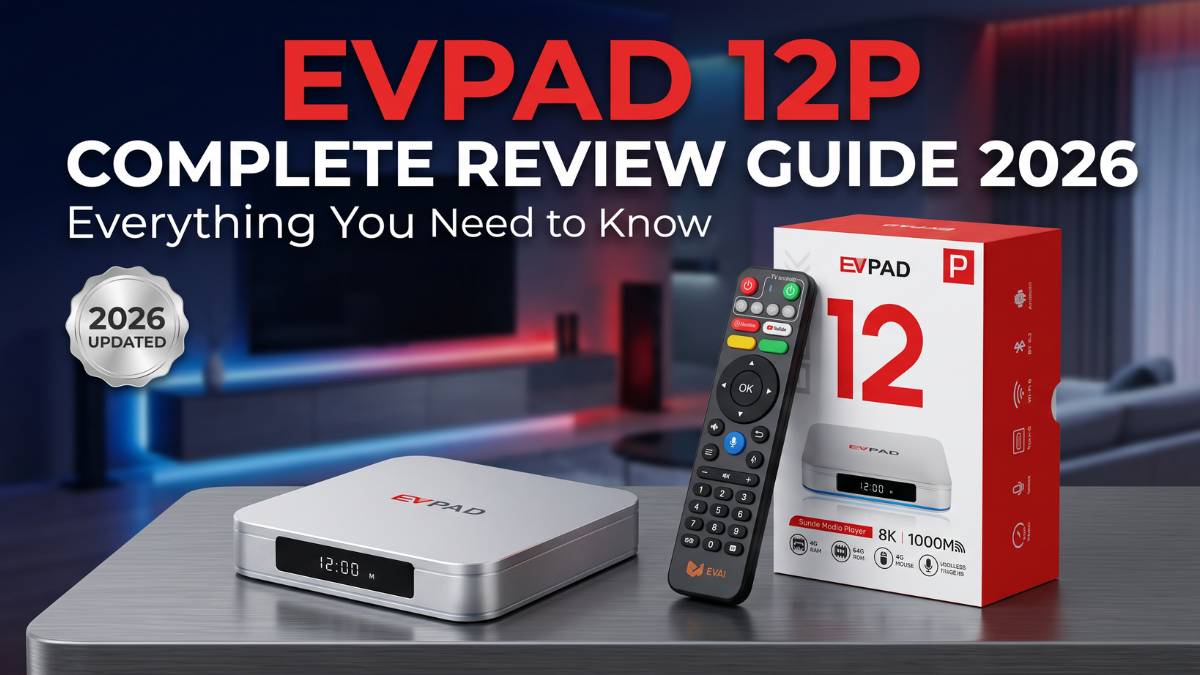
2026 Update: This EVPAD 12P review has been refreshed with updated information about hardware specifications, ports, startup, network options, display output, remote control, first-time setup, packaging checks, shipping, warranty, and buying considerations.
Who Is EVPAD 12P For?
The EVPAD 12P is a purpose-built Android TV box for households that want modern hardware, reliable network options, HDMI connectivity, and straightforward daily operation. It is not a gaming console or a general-purpose computer — it is a compact home entertainment device that runs Android 12 and connects to your TV through HDMI.
Compared with basic TV boxes, EVPAD 12P includes WiFi 6, a Gigabit LAN port, 4GB RAM, and 64GB storage. These specifications provide more memory, storage, and network flexibility for everyday system use. The voice remote can also simplify navigation for parents or older family members.
If you are buying from overseas, confirm four things before ordering: (1) the model is the international version, (2) the plug type matches your region, (3) the seller ships from a local warehouse, and (4) the warranty is valid in your country. The EVPAD Shipping Policy and Return & Refund Policy pages have the current details.
EVPAD 12P Review 2026: Quick Overview
The EVPAD 12P is one of the higher-spec models in the EVPAD 2026 lineup. This EVPAD 12P review focuses on whether its hardware, network options, ports, display output, and remote control fit your home setup.
EVPAD 12P is designed for users who want modern hardware, solid network connectivity, and straightforward everyday operation.
Key Highlights of EVPAD 12P:
- Android 12 Operating System - Modern system platform for daily device use
- Allwinner H618 Platform - Quad-core platform for regular TV box operation
- 4GB RAM + 64GB Storage - More memory and storage than entry-level configurations
- WiFi 6 + Gigabit LAN - Wireless and wired network options
- Bluetooth 5.2 - Supports compatible wireless accessories
- Voice Remote (2.4GHz) - Provides button and voice-based navigation
This EVPAD 12P review covers hardware specifications, ports, design, startup, network options, display output, remote control, first-time setup, packaging checks, price guidance, and buying tips.
EVPAD 12P Specs and Key Features
Before diving deeper into this EVPAD 12P review, here is the complete EVPAD 12P specifications reference for this EVPAD 12P Android TV box:
| Specification | EVPAD 12P Details |
|---|---|
| Product Model | EVPAD 12P |
| Operating System | Android 12.0 |
| Processor (Chipset) | Allwinner H618-class platform |
| CPU / GPU | Quad-core ARM Cortex-A53 64-bit CPU / Mali-G31 GPU |
| RAM (Memory) | 4GB DDR3 RAM |
| Internal Storage | 64GB eMMC 5.0 storage |
| WiFi Standards | 802.11a/b/g/n/ac/ax (WiFi 6) - 2.4GHz & 5GHz dual-band |
| Bluetooth | Bluetooth 5.2 with BLE support |
| Ethernet (LAN) | 1000M RJ45 Gigabit LAN port |
| Video Playback | 4K HDR support with flexible resolution based on source |
| Connectivity Ports | HDMI 2.1, RJ45 LAN, USB 3.0, USB 2.0, TF-card slot, AV-OUT, SPDIF, USB Type-C, IR receiver |
| Remote Control Options | Voice-activated 2.4GHz wireless remote with enhanced controls |
| Power Consumption | Optimized efficiency design |
Why These EVPAD 12P Specifications Matter:
The combination of Android 12, 4GB RAM, and 64GB storage gives EVPAD 12P more memory and storage than many entry-level TV boxes. WiFi 6 and Gigabit LAN provide both wireless and wired network options for different home setups.
EVPAD 12P Design & Build Quality: Practical Home Entertainment
Compact and Versatile Design
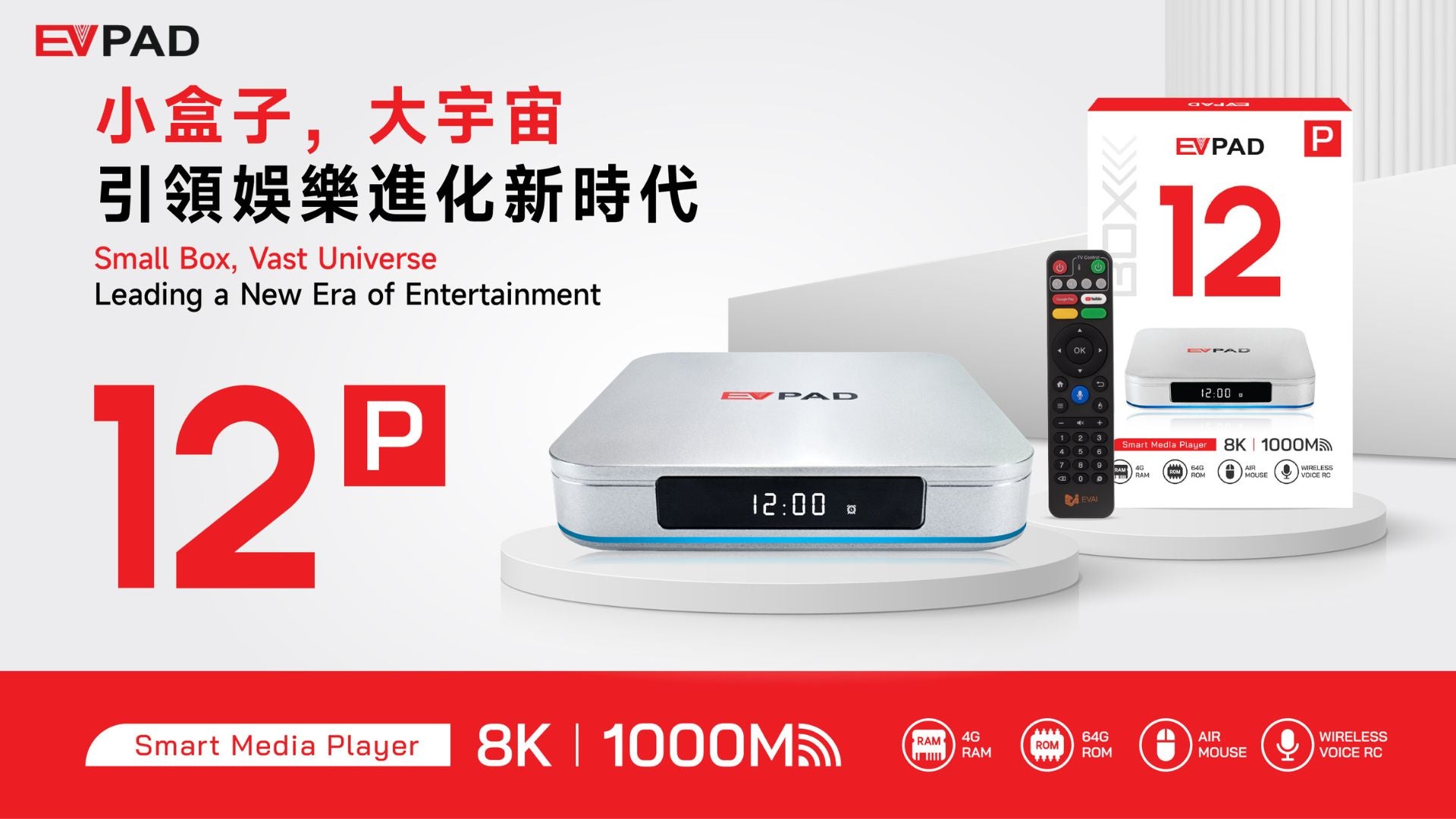
EVPAD 12P maintains a compact TV box form factor designed for practical placement near a television or home network equipment:
- Beside your TV - Minimal clutter and cable management
- Inside TV cabinets - The small size allows discreet placement
- Near your router - Optimal positioning for both WiFi and Gigabit LAN use
Comprehensive Port Selection
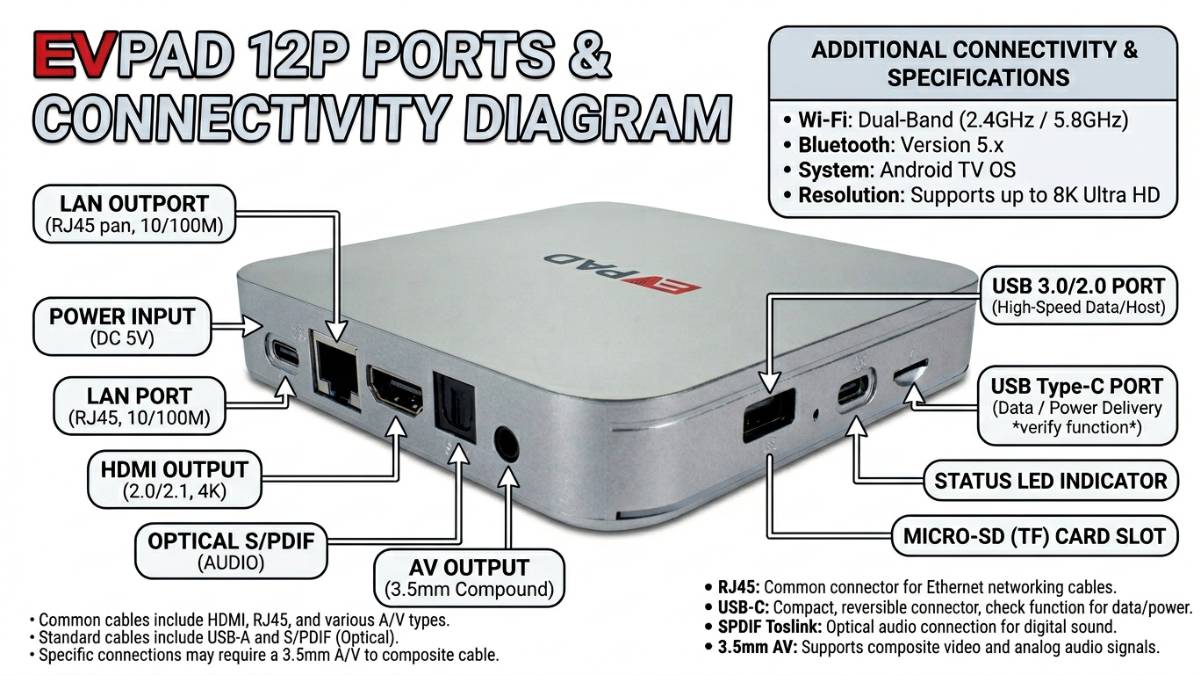
One useful hardware characteristic of EVPAD 12P is its range of connectivity options:
- HDMI 2.1 - Digital video and audio connection to a compatible television or display
- 1000M Gigabit LAN - For users who prefer wired, high-speed connections
- Multiple USB ports - Connect external drives, keyboards, or gaming accessories
- TF-card slot - Expand storage easily
- AV-OUT & SPDIF - Legacy audio system compatibility
- Type-C - Additional Type-C connectivity on the device
- IR receiver - Universal remote compatibility
Built for Multi-Generational Use
EVPAD 12P's straightforward design makes it practical for:
- Living room entertainment centers
- Bedroom TV setups
- Parents' homes requiring a simple, reliable device
- Households with members at varying levels of tech comfort
EVPAD 12P Performance: Startup & Daily Responsiveness
Hardware Performance Overview
EVPAD 12P uses 4GB RAM and 64GB storage, providing more memory and storage than older EVPAD configurations with 2GB RAM and 16–32GB storage.
Daily Hardware and System Use
For normal TV box operation, the main areas to check are:
- ✓ Startup and home-screen response
- ✓ Menu navigation and system settings
- ✓ Available storage for normal device operation
- ✓ HDMI output and display responsiveness
- ✓ Voice control and remote responsiveness
- ✓ Background system updates and processes
- ✓ Connection of compatible USB or Bluetooth accessories
EVPAD 12P Display Output & Picture Quality
Video Output Capabilities
EVPAD 12P supports 4K HDR video output. Actual picture quality depends on the television, HDMI connection, display settings, and source material.
Factors Affecting EVPAD 12P Display Quality
- Your Television - Output should be matched to the resolution supported by your TV
- Display Settings - Confirm the selected resolution and screen settings are appropriate for your television
- HDMI Connection - Use a compatible HDMI cable and a working HDMI input
- Source Quality - Final picture quality cannot exceed the quality of the source material
- Network Connection - Network-based media playback also depends on the stability of your home connection
Important Note: A TV box cannot improve low-quality source material. For the best result, match the EVPAD 12P display settings to your television and use a stable HDMI connection.
WiFi 6 & Gigabit LAN on EVPAD 12P
Two Network Connection Options
EVPAD 12P provides both wireless and wired network connections, allowing users to choose the option that best suits their router location and home setup.
WiFi 6 (802.11ax) in EVPAD 12P
- Dual-band connection - Supports 2.4GHz and 5GHz WiFi networks
- Wireless setup - Useful when an Ethernet cable is not practical
- Router compatibility - Actual speed and range depend on your router, distance, walls, and interference
- Flexible placement - Allows the box to be positioned without a wired network cable
1000M Gigabit LAN
- Wired connection - Useful when the TV area has access to an Ethernet cable
- Stable local link - Avoids normal WiFi signal and interference variables
- Gigabit interface - The RJ45 port supports a 1000M network link when used with compatible network equipment
Recommendation: Use Ethernet when a wired connection is convenient; otherwise, WiFi 6 provides a practical wireless option. Actual internet performance depends on your router and service connection.
EVPAD 12P Remote Control & Daily Operation
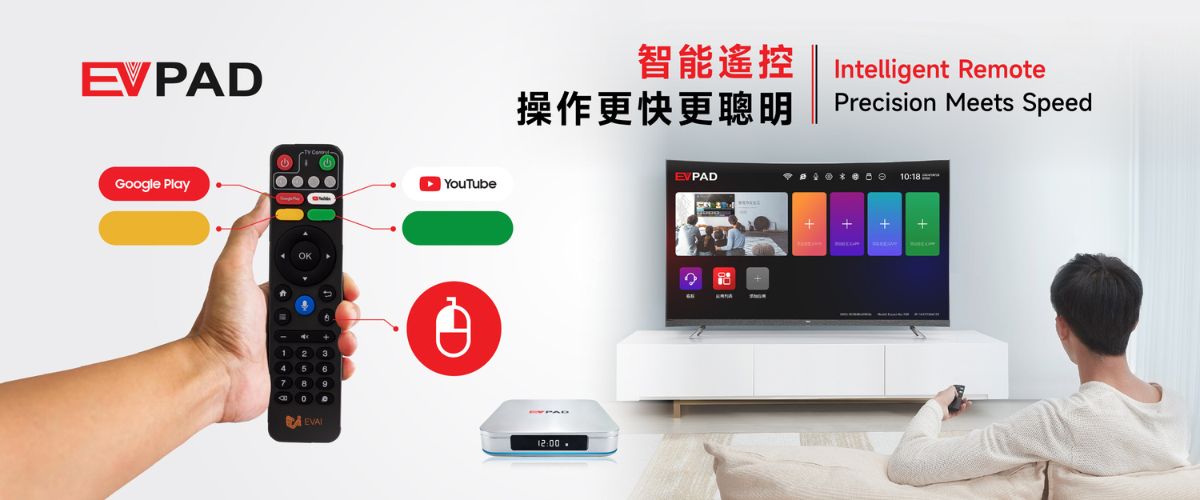
Voice Remote - Basic Navigation
The EVPAD 12P remote provides button-based navigation and supported voice functions. After pairing, you can test basic operations such as:
- "Go home" → Return to the main menu
- "Open settings" → Test supported system navigation
- "Volume up/down" → Test supported volume controls
- Directional and OK buttons → Confirm normal menu navigation
2.4GHz Wireless Remote
- No direct pointing required for paired wireless functions - Useful during normal indoor operation
- Pairing status matters - Re-pair the remote if wireless functions stop responding
- Battery condition matters - Weak batteries can cause delayed or inconsistent response
How to Set Up EVPAD 12P: First-Time User Checklist
Work through the steps below in order when completing your first EVPAD 12P setup:
- Connect HDMI - Connect the EVPAD 12P to an available HDMI input on your television using a compatible HDMI cable.
- Connect the power adapter - Use the appropriate adapter and verify the plug type and voltage requirements before powering on.
- Select the correct TV input - Switch your television to the HDMI input connected to the EVPAD 12P and wait for the startup screen.
- Connect Wi-Fi or Ethernet - Go to Settings → Network. Select your Wi-Fi network and enter the password, or connect an Ethernet cable to the Gigabit LAN port.
- Check display settings - Confirm the selected resolution and screen output are suitable for your television.
- Check language, date, and time - Confirm the system language, date, time, and time zone.
- Test the remote control - Confirm the directional buttons, OK button, Home button, and supported voice functions respond normally.
- Check storage and system information - Review available storage and the current system version before making advanced changes.
- Keep power stable - Avoid disconnecting power while the device is starting or updating
- Use the correct model information - Confirm EVPAD 12P before following model-specific support instructions
- Keep WiFi security enabled - Do not disable normal router security for setup
- Contact support for advanced recovery - Use model-specific guidance if a startup or system problem continues
EVPAD 12P Packaging & First Inspection
What to Check When the Package Arrives
Before setting up the EVPAD 12P, compare the delivered package with the product listing and inspect the device and included accessories for visible shipping damage.
- Model label - Confirm that the device is EVPAD 12P
- Power accessory - Check that the supplied power equipment is suitable for your region
- HDMI connection - Confirm the included or supplied HDMI cable is undamaged if one is part of your order
- Remote control - Inspect the buttons and battery compartment before pairing
- Device ports - Check HDMI, LAN, USB, TF-card, Type-C, and other visible ports for obvious damage
Tip: If the package is damaged or an ordered accessory is missing, take clear photos before setup and contact the seller with your order information.
After the visual check, continue with the first-time setup checklist to test power, startup, HDMI output, network connection, and remote control.
EVPAD 12P for Everyday Household Use
Use Cases Where EVPAD 12P Hardware Is Practical
- ✓ Living-room TV setups that need HDMI and network connectivity
- ✓ Homes that prefer both WiFi and wired Ethernet options
- ✓ Parents or grandparents who prefer a voice-enabled remote
- ✓ Users who want 4GB RAM and 64GB storage in a compact TV box
- ✓ Households that connect compatible USB or Bluetooth accessories
- ✓ Users upgrading from older EVPAD hardware
EVPAD 12P vs Older EVPAD Models: What's New?
| Category | Older EVPAD | EVPAD 12P (2026) |
|---|---|---|
| OS | Older Android | Android 12.0 |
| RAM | 2GB or basic | 4GB DDR3 |
| Storage | 16-32GB | 64GB |
| Network | WiFi 5, basic LAN | WiFi 6 + Gigabit LAN |
| Remote | Basic IR | Voice + 2.4GHz |
| Support | Declining | Current |
If you are deciding between EVPAD 11P vs 12P, or comparing EVPAD 12P vs 12S, the differences come down primarily to RAM tier, storage capacity, and network generation. Check the individual model pages within the EVPAD TV Box collection for up-to-date model-by-model details.
EVPAD 12P vs UBOX 12: Quick Hardware Comparison
| Factor | EVPAD 12P | UBOX 12 |
|---|---|---|
| Hardware | 4GB/64GB, WiFi 6, Gigabit LAN | Check the current UBOX 12 model specification |
| Network | WiFi 6 + Gigabit LAN | Confirm current WiFi and LAN specification |
| Ports | HDMI, LAN, USB, TF-card, Type-C and additional connections | Confirm current port configuration before buying |
| Buying Decision | Compare hardware, ports, remote, warranty and support | Compare hardware, ports, remote, warranty and support |
→ Read our detailed EVPAD 12P vs UBOX 12 comparison for deeper hardware and buying analysis.
EVPAD 12P vs a Regular Android TV Box: Which Suits You?
A standard Android TV box and the EVPAD 12P Android TV box can both provide an Android-based interface, but hardware, ports, network options, remote control, and after-sales support can differ significantly by model.
A basic Android TV box may be enough for users who mainly want simple HDMI output and standard network connectivity at a lower price point.
EVPAD 12P adds a defined hardware configuration with 4GB RAM, 64GB storage, WiFi 6, Gigabit LAN, Bluetooth 5.2, a voice remote, and multiple physical ports. These are practical factors to compare before buying.
Neither category is universally "better." The right choice depends on the hardware, connectivity, support, and budget you need.
EVPAD 12P Strengths & Limitations
Clear Advantages
- ✅ 4GB RAM + 64GB Storage - More memory and storage than entry-level configurations
- ✅ Android 12.0 - Current system platform used by this model
- ✅ WiFi 6 + Gigabit LAN - Both wireless and wired networking
- ✅ Bluetooth 5.2 - Compatible wireless accessory support
- ✅ Voice Remote - Convenient daily navigation
- ✅ Multiple Ports - Flexible connection options
- ✅ Compact Design - Practical for common TV setups
- ✅ Expandable Connectivity - USB, TF-card and other physical interfaces
Important Limitations
- ⚠️ 4K Requires Compatible TV and Source - The box alone is not enough
- ⚠️ WiFi Performance Depends on Your Router and Environment
- ⚠️ Plug Type and Power Requirements Should Be Confirmed Before Ordering
- ⚠️ Advanced Recovery Should Use Model-Specific Support Instructions
- ⚠️ Hardware Limits for Gaming - Quad-core hardware is not designed as a high-end gaming system
EVPAD 12P Price and Buying Advice for Overseas Users
The EVPAD 12P price varies depending on the seller, your shipping region, current promotions, and whether the listed price includes a power adapter suited to your local plug standard. There is no single fixed price to quote here — it changes with region and timing.
When comparing prices, look at the total landed cost including shipping and applicable taxes — not just the unit price. A lower headline price with slow international shipping or no local warranty may cost more to resolve if something goes wrong.
What to Confirm Before Paying
- The listing is for the international EVPAD 12P model, not a region-locked variant
- The plug type is correct for your country, or a compatible adapter is included
- Shipping comes from a local or regional warehouse — check the Shipping Policy for warehouse locations and delivery timeframes
- The warranty period is clearly stated and valid in your country
- The return window is acceptable — see the Return & Refund Policy for current terms
For current pricing and availability, visit the EVPAD 12P product page or browse the full EVPAD TV Box collection.
Essential Buying Guide: EVPAD 12P Edition
Verify Before Purchase
Product Version:
- ✓ International EVPAD 12P model (not region-locked)
- ✓ English language support included
- ✓ Warranty coverage valid in your country
Electrical Compatibility:
- ✓ Correct plug type for your region
- ✓ Voltage compatibility confirmed (110V vs 220V)
- ✓ Replacement adapters available if needed
Shipping & Support:
- ✓ Local warehouse shipping available — see Shipping Policy
- ✓ Reasonable warranty period (1-2 years typical)
- ✓ Technical support in your language
- ✓ Clear return policy — see Refund Policy
EVPAD 12P Purchasing Checklist
- International EVPAD 12P model confirmed
- Correct regional plug type included
- Local warehouse shipping available
- Warranty period acceptable
- Return policy reasonable and customer-friendly
- Setup support resources provided
- Hardware, plug type, network options, and support suitable for your region
- Price competitive across retailers
- Seller has positive customer reviews
- Delivery timeframe meets your expectations
Contact our team for personalized guidance before ordering.
Final Verdict: Is EVPAD 12P Worth Buying in 2026?
EVPAD 12P is worth comparing for buyers seeking a modern Android TV box with 4GB RAM, 64GB storage, WiFi 6, Gigabit LAN, Bluetooth 5.2, multiple ports, and a voice remote.
Why EVPAD 12P Stands Out
The combination of Android 12, 4GB RAM, 64GB storage, WiFi 6, Gigabit LAN, Bluetooth 5.2, and a voice remote gives EVPAD 12P a well-rounded hardware configuration:
- Memory and storage - 4GB RAM and 64GB internal storage
- Network flexibility - WiFi 6 and Gigabit Ethernet
- Display connection - HDMI output with 4K HDR support
- Accessible navigation - Voice-enabled remote control
- Port selection - Multiple connections for common accessories and home setups
Who Should Buy EVPAD 12P?
GOOD FIT for:
- Users upgrading from older EVPAD hardware
- Homes that want both WiFi 6 and Gigabit LAN
- Users who need 4GB RAM and 64GB storage
- Parents or grandparents who prefer a straightforward voice-enabled remote
- Buyers who value multiple physical ports and local after-sales support
CONSIDER ALTERNATIVES if you:
- Only need the lowest-cost basic TV box
- Do not need Gigabit LAN or multiple connection ports
- Need a certified platform for a specific third-party service
- Want high-end gaming performance
Bottom Line: EVPAD 12P is best evaluated on its hardware, network interfaces, display support, remote control, warranty, shipping, and seller support. View the EVPAD 12P product page for current pricing and availability.
Ready to Experience EVPAD 12P?
If you've decided EVPAD 12P is the right choice for your home entertainment setup, explore your options here:
Frequently Asked Questions About EVPAD 12P
Your EVPAD 12P Review Summary
We've covered the EVPAD 12P hardware specifications, ports, startup, display output, network options, remote control, packaging checks, first-time setup, price guidance, and buying considerations. This EVPAD 12P complete review is intended to help you compare the device based on verifiable hardware and support factors.
Still have questions? Contact our team or visit the EVPAD FAQ page for quick answers.
Share your experience: After purchasing, you can share feedback about setup, network connection, remote control, and day-to-day hardware use to help other buyers make informed decisions.