
If you're shopping for a premium Android TV box in 2026 and keep seeing both EVPAD 12P and UBOX 12 in search results, you're not alone. Both are popular choices for households comparing hardware, connectivity, setup, and everyday usability.
The problem? They look nearly identical on paper.
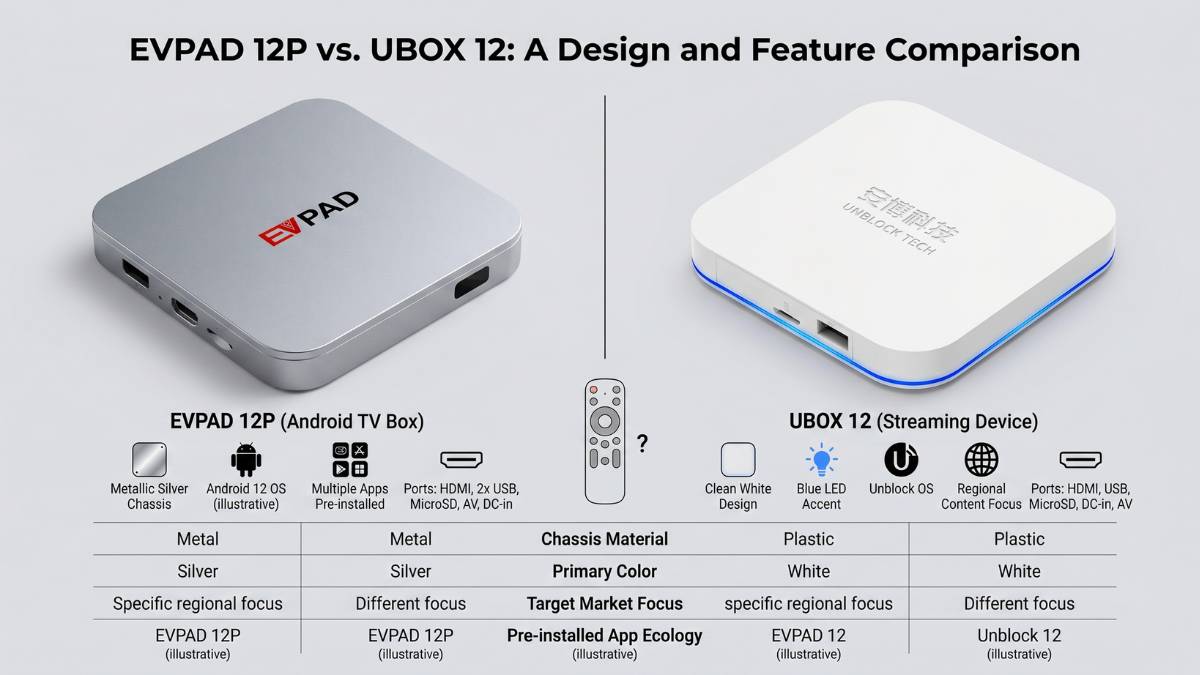
Both promise 4GB RAM, 64GB storage, WiFi 6, and Android 12. So which one actually delivers better value? After analyzing both devices across specs, real-world performance, connectivity, and user experience, I can tell you: EVPAD 12P is the stronger choice for most buyers in 2026 — and here's exactly why.
Not sure yet? See the full comparison below, or shop EVPAD 12P now.
Hardware Specifications: What's Actually Inside?
Let's start with the numbers, because this is where people get confused.
| Specification | EVPAD 12P | UBOX 12 | Winner |
|---|---|---|---|
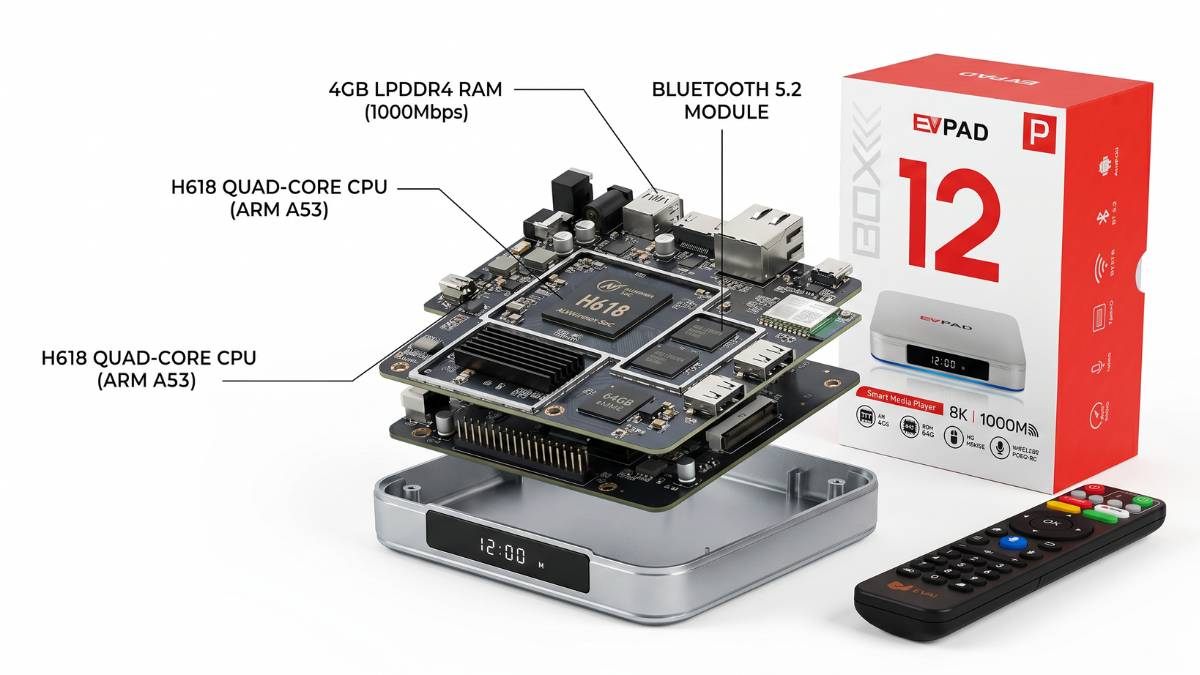
| Chipset | Allwinner H618 | H618-class (spec varies) | EVPAD (clearer documentation) |
| CPU | Quad-core Cortex-A53 | Quad-core A53-class | Tie |
| GPU | Mali-G31 MP2 | G31-class | Tie |
| RAM | 4GB DDR3 | 4GB DDR3 | Tie |
| Storage | 64GB eMMC 5.0 | 64GB eMMC | Tie |
| WiFi | WiFi 6 (802.11 a/b/g/n/ac/ax) 2.4GHz + 5GHz | WiFi 6 dual-band | EVPAD (explicitly documented) |
| Bluetooth | Bluetooth 5.2 + BLE | Bluetooth 5.0 | EVPAD |
| Ethernet | 1000M Gigabit LAN | LAN (speed unclear) | EVPAD |
| Ports | HDMI, USB, LAN, TF-card, AV-OUT, SPDIF, Type-C, IR | HDMI, USB, LAN, TF-card, AV | EVPAD (more I/O options) |
| Power | USB Type-C | Standard DC connector | EVPAD (universal standard) |
| Remote | AI Voice + 2.4G support | Voice remote | Tie |
What This Means For You:
The core processors are nearly identical — both are designed for smooth everyday operation and general Android TV box use. The difference is in how well EVPAD documents its specs and where it adds useful features.
EVPAD 12P's Gigabit LAN (1000M) is particularly important if your family watches 4K content during peak hours. UBOX 12 listings don't consistently confirm Gigabit speeds, which could mean you're getting 10/100M instead — a massive difference in 4K streaming reliability.
Bluetooth 5.2 on EVPAD 12P connects faster and more reliably to wireless keyboards, headphones, and game controllers compared to UBOX 12's Bluetooth 5.0.
Winner: EVPAD 12P — Not by massive specs, but by transparency and practical connectivity advantages.
Picture Quality: 4K Reality vs "6K" Marketing
Here's where things get misleading in the TV box market.
UBOX 12 is frequently marketed as "6K output," which sounds impressive. EVPAD 12P sticks with honest 4K HDR claims.
Let me be clear: Neither box outputs true 6K content. This "6K" label is a marketing number that refers to theoretical upscaling or maximum decode capability — not what you'll actually see on your TV.
Here's what REALLY determines picture quality in your living room:
- Your TV's native resolution (4K is the standard)
- Your HDMI 2.0+ cable
- Your internet speed (25+ Mbps for reliable 4K)
- The video source's own quality and resolution
- The original content's resolution
Reality Check:
Actual picture quality depends on the source resolution, your TV, HDMI connection, internet connection, and display settings. Neither box can improve every source beyond its original quality.
Why EVPAD's Honesty Matters:
When you set up a TV box for parents or grandparents, managing expectations is important. EVPAD 12P's straightforward 4K HDR spec means less confusion and fewer support calls later. UBOX's "6K" marketing can set expectations that don't match reality.
Winner: EVPAD 12P — For honest marketing and realistic expectations.
Connectivity & Everyday Use: What North American Buyers Should Compare
For North American households, the most useful differences are easier to verify through hardware, network options, ports, remote control, and setup support.
Instead of comparing changing channel or content availability, focus on the specifications and support details that can be checked before purchase.
EVPAD 12P Hardware & Setup Points:
- 4GB RAM and 64GB storage
- WiFi 6 support
- 1000M Gigabit LAN
- Bluetooth 5.2
- HDMI, USB, LAN, TF-card, SPDIF and Type-C connections
- Voice remote support
- Android 12 system
- Setup guidance for everyday use
UBOX 12 Buying Checks:
- Confirm RAM and storage on the exact listing
- Confirm WiFi, Bluetooth, and Ethernet specifications
- Check the available ports and power connection
- Review the included remote, accessories, warranty, and seller support
Why This Matters:
Hardware and connectivity details are easier to verify before purchase and remain useful even when individual services or software features change over time.
For families setting up a TV box for parents or grandparents, the remote layout, menu clarity, network connection, and availability of setup support are also worth comparing.
Winner: EVPAD 12P — For clearly documented connectivity and practical hardware options.
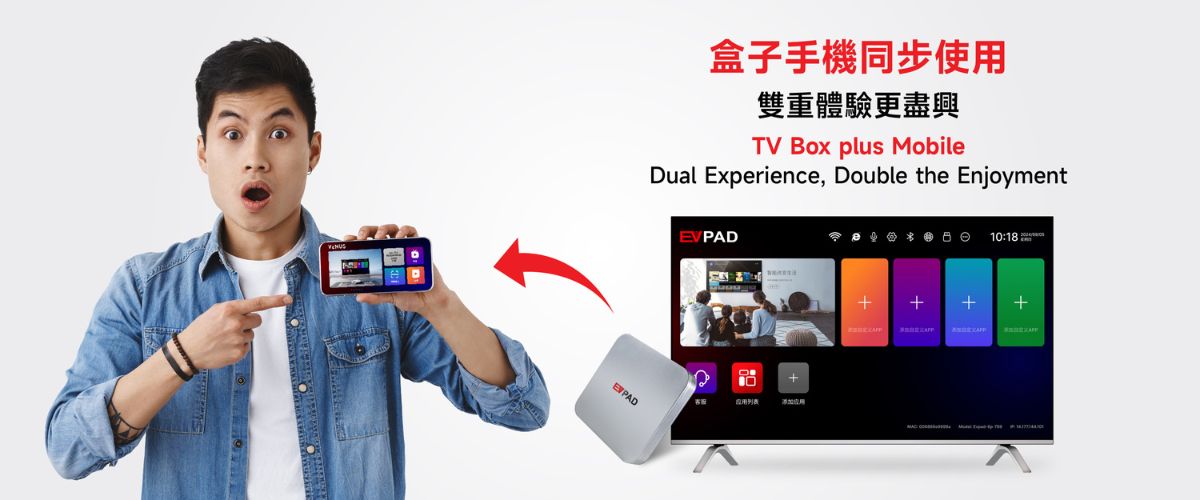
Software & Setup Experience: Which Is Easier?
Both boxes run Android 12, but the setup experience can differ.
EVPAD 12P Setup:
- Connect power and HDMI
- Select the correct TV input
- Choose the system language
- Connect through WiFi or Ethernet
- Pair and test the remote control
UBOX 12 Setup:
- Connect power and HDMI
- Select the correct TV input
- Connect to WiFi or Ethernet
- Review the display and system settings
- Pair and test the remote control
For Most Users:
For parents or non-technical users, clear setup instructions, simple remote operation, and responsive seller support can matter more than advanced software options.
Winner: EVPAD 12P — For the straightforward setup flow described in this comparison.
Pricing & Overall Value
Current pricing (2026):
- EVPAD 12P: Typically $235-260 USD
- UBOX 12: Typically $260-300 USD
When comparing price, consider the complete package:
- Specification clarity (EVPAD wins)
- Warranty support (confirm with seller)
- Included accessories (varies by seller)
- Shipping time (local warehouses matter)
- Setup support included (EVPAD better)
EVPAD 12P gives you more documented hardware value + practical connectivity for North American families.
Winner: EVPAD 12P — Better specs-to-dollar ratio + superior North American positioning.
EVPAD 12P Strengths & Weaknesses
✅ EVPAD 12P Advantages:
- Clear, verifiable hardware specifications
- Bluetooth 5.2 (newer, more stable)
- Confirmed Gigabit LAN (1000M)
- More complete port options (SPDIF, Type-C)
- Strong connectivity options for North American home networks
- USB Type-C power connection
- Voice remote support
- Better documented support resources
- Competitive pricing with superior specs
❌ EVPAD 12P Limitations:
- Firmware update details not always public
- Specifications and availability can vary by region or seller
- Like all Android TV boxes, performance depends on internet speed
- Software features may change with future updates
UBOX 12 Strengths & Weaknesses
✅ UBOX 12 Advantages:
- Established brand with loyal user base
- Familiar hardware layout for existing UBOX users
- Android 12 with solid performance
- Voice remote functionality
- Active support community
❌ UBOX 12 Limitations:
- Hardware specs less consistently documented across sellers
- "6K" marketing claim can mislead
- Ethernet speed not always confirmed as Gigabit
- Specifications may vary across seller listings
- Warranty and support terms should be confirmed before purchase
- Generally higher price than EVPAD 12P
- Included accessories may vary by seller
Who Should Buy EVPAD 12P?
EVPAD 12P is your best choice if:
- You live in North America (US/Canada)
- You want clearly documented hardware and connectivity
- You want to set up a box for parents/grandparents
- You care about understanding exactly what you're buying
- You want WiFi 6 + Gigabit LAN for 4K streaming stability
- You prefer straightforward setup guidance
- You value Gigabit LAN, Bluetooth 5.2, and multiple port options
Who Might Prefer UBOX 12?
UBOX 12 could be better if:
- You already own other UBOX products
- You find an exceptional local seller bundle
- You are already familiar with the UBOX interface and hardware
- You find an exceptional local seller bundle
- You have verified the current specifications, warranty, and support
Final Answer: EVPAD 12P or UBOX 12?
Not because UBOX 12 is bad — it's a capable streaming device. But EVPAD 12P wins on the factors that matter:
- Honest, transparent specifications
- Better hardware for North American users (Gigabit LAN, Bluetooth 5.2)
- Clearer connectivity specifications for North American buyers
- Practical port and power options
- More user-friendly setup experience
- Better value for money
If you're upgrading from an older TV box, starting your first premium streaming device, or setting up a box for family members who aren't tech-savvy, EVPAD 12P is the clear winner.
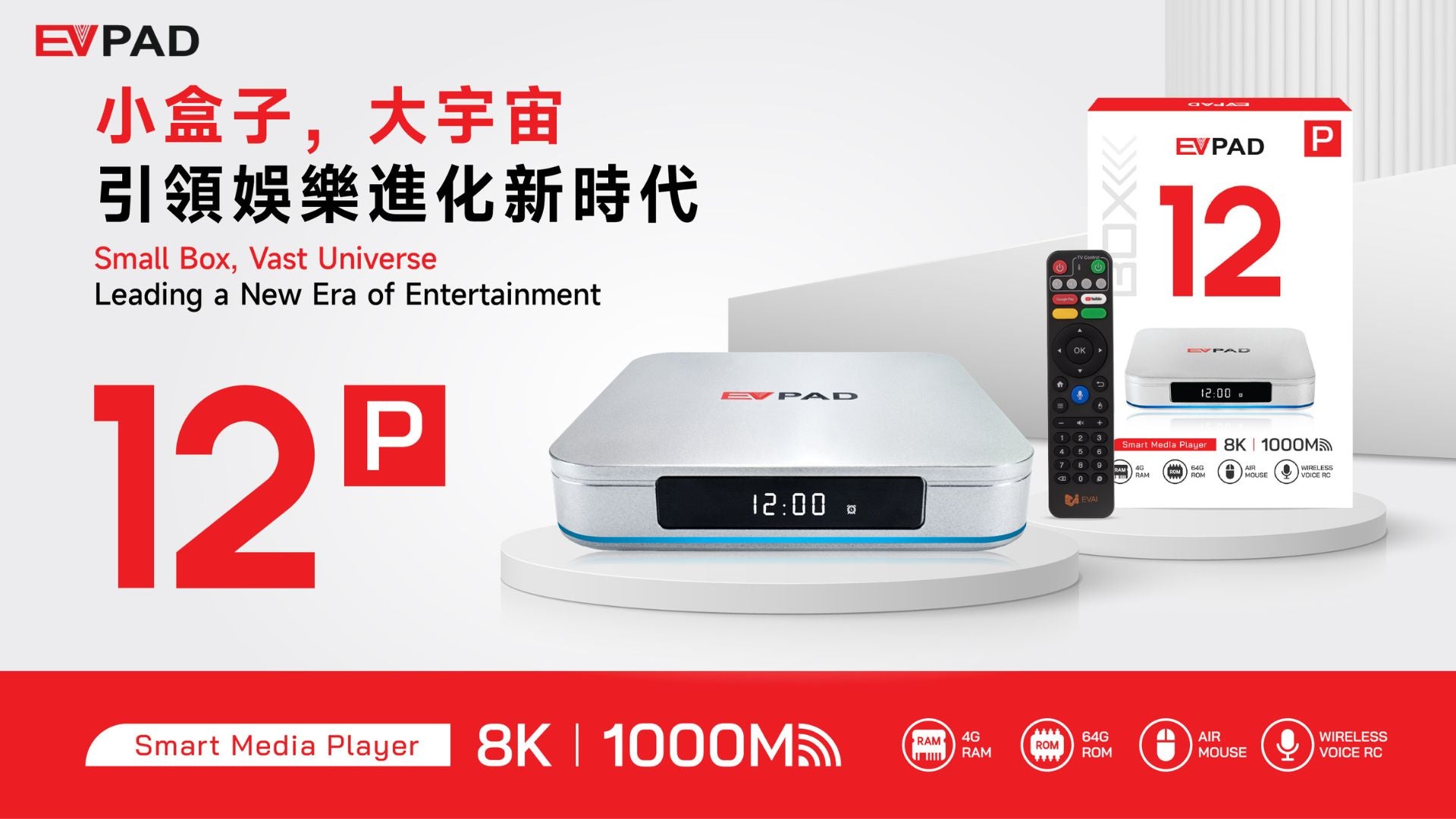
Ready to Upgrade?
Buy EVPAD 12P with Free GiftsUse code EVPAD95 for 5% off + 2 free premium gifts
Buyer's Checklist: Before You Buy Any Premium TV Box
Before ordering, confirm with your seller:
- ✅ Is this the latest international version?
- ✅ Is RAM confirmed as 4GB, storage as 64GB?
- ✅ Is the LAN port Gigabit (1000M)?
- ✅ What warranty is included? (EVPAD offers 12-month in most regions)
- ✅ Does the seller provide setup support?
- ✅ Is shipping from a local North American warehouse?
- ✅ Are the current hardware specifications and included accessories clearly listed?
Questions? Contact EVPAD support:
- 📧 Email: sales@evpadtv.com
- 💬 WhatsApp: +852-5779-6914
FAQ: EVPAD 12P vs UBOX 12
A: Yes, for buyers who prioritize better-documented specs, Gigabit LAN, Bluetooth 5.2, and practical connectivity. UBOX 12 is still a decent device, so compare the exact seller listing, warranty, and price before deciding.
A: Yes, both typically come with 4GB RAM + 64GB storage as their standard configuration.
A: Both support 4K HDR playback. Picture quality depends on your TV, internet speed, HDMI cable, and video source — not the box. EVPAD 12P is more honest about its capabilities.
A: Yes, it can be a practical option for buyers who want WiFi 6, Gigabit Ethernet, 4GB RAM, 64GB storage, and a voice remote. Also verify plug type, shipping, warranty, and return terms for your location.
A: Yes. The EVPAD 12P specifications in this comparison list a 1000M Gigabit LAN connection.
A: The device itself is sold as hardware. Third-party services, applications, or content may have separate terms, availability, or subscription requirements.
A: Both require the usual power, HDMI, network, remote, and system setup. Ease of setup depends on the interface, documentation, and support available for the exact product you purchase.
A: Compare the current sale price together with verified hardware specifications, included accessories, warranty, returns, shipping, and seller support before deciding.
A: Both should last 5+ years with normal use. EVPAD 12P's more recent hardware and USB Type-C power port mean better long-term compatibility.
A: Buy directly from the official EVPAD distributor (evpadtv.com) for guaranteed authenticity, full warranty, fast local shipping, and reliable customer support.
Related Articles You Might Find Helpful
- EVPAD 12P vs 11P: Which Model Should You Choose?
- EVPAD 12P Complete Setup Guide
- Troubleshooting EVPAD TV Box Issues
Still have questions? Contact EVPAD support — we're here to help you choose the right TV box for your family.