

Updated August 2026: This Hong Kong buying guide has been rewritten to focus on regional purchase information: EVPAD model selection, hardware, Hong Kong plug and power requirements, shipping, tracking, payment, returns, warranty and customer support. Channel lists, dedicated content apps and download-related content have been removed.
If you are buying an EVPAD TV Box in Hong Kong, the most useful questions are practical: Which model should you choose? Which plug is suitable for Hong Kong? How is the order shipped and tracked? What payment methods are accepted? What are the return and warranty terms? And where should you contact support if you need help?
Which EVPAD Model Is Recommended for Hong Kong Buyers?
For buyers comparing the current EVPAD lineup, EVPAD 12P is the higher-memory and higher-storage option compared with EVPAD 12S.
| Model | RAM / Storage | Best Fit |
| EVPAD 12P | 4GB / 64GB | Buyers who prefer more memory, more storage and the voice-remote configuration. |
| EVPAD 12S | 2GB / 32GB | Buyers with more basic hardware requirements. |
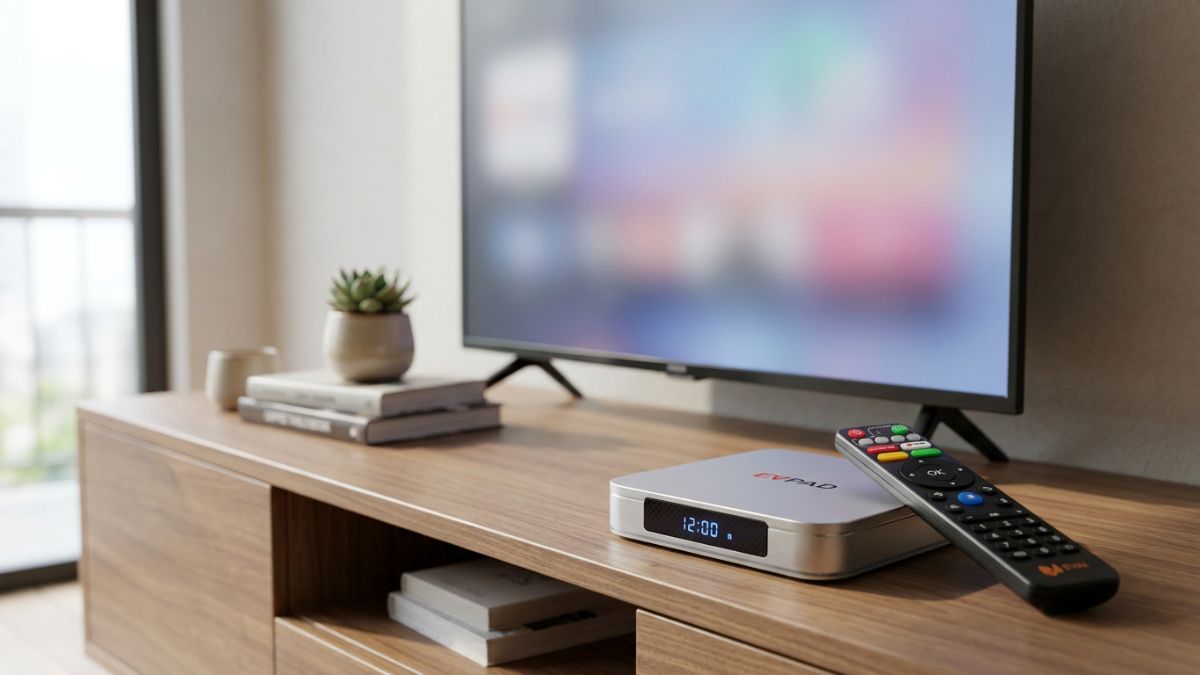
The current EVPAD 12P product information lists 4GB RAM, 64GB storage, Wi-Fi 6, Gigabit Ethernet, Type-C power and a voice remote. These are the main hardware points worth comparing before ordering.
View the current model information on the EVPAD 12P product page or compare the EVPAD TV Box collection.
Which Plug Should Hong Kong Buyers Choose?
Hong Kong normally uses a three-rectangular-pin UK-style plug system. The current EVPAD 12P product page offers a UK Plug option, so this is the option Hong Kong buyers should normally select.
Hong Kong's household electrical supply is 220V AC at 50Hz. Before using the device:
- Select UK Plug before checkout.
- Check the power adapter label and confirm that its input specifications are suitable for Hong Kong's 220V / 50Hz supply.
- Use the supplied or properly compatible power adapter.
- Do not assume that every USB-C charger is suitable just because EVPAD 12P uses a Type-C power connection.
- Use plugs and adapters that comply with the applicable Hong Kong electrical-safety requirements.
Shipping to Hong Kong
The current EVPAD Terms of Service lists Hong Kong among the store's supported warehouse and fulfillment regions. However, actual warehouse assignment depends on inventory and order conditions.
The store's general FAQ currently states:
- Order processing: usually 1–2 business days after payment confirmation
- International delivery: generally around 5–7 business days
- Tracking: sent after the parcel is dispatched
Because Hong Kong may be served through different fulfillment arrangements depending on stock, buyers should confirm the latest delivery estimate for the actual order rather than assuming every Hong Kong order will use the same warehouse or delivery time.
Before checkout, carefully confirm the recipient name, flat / floor / building information, district, phone number and email address.
How to Track an EVPAD Order in Hong Kong
After the parcel is dispatched, the store sends tracking information. Customers can also use the Order Tracking page with the order number or tracking code.
The tracking page states that carrier information may take approximately 24–48 hours to appear after shipment. If the first tracking event is not visible immediately, check again later.
If the tracking remains unavailable after a reasonable period, contact support with your order number and destination.
Payment Methods for Hong Kong Orders
The current EVPAD FAQ lists major credit or debit cards, PayPal and selected digital payment methods shown at checkout.
The actual payment options displayed can vary by checkout session and payment provider, so the checkout page should be treated as the final list of available methods.
If a card payment fails, recheck the card details and contact the card issuer if necessary before repeatedly attempting payment.
What Is the Return Policy for Hong Kong Buyers?
The current EVPAD FAQ provides 30-day return support, subject to the Return and Refund Policy. This replaces the older 20-day return wording previously used in this article.
Before returning a product:
- Contact support first and provide the order number and reason for return.
- Wait for the correct return instructions before sending anything back.
- Keep the original box, remote, power adapter, HDMI cable, accessories, manuals and included promotional items.
- Make sure the product meets the applicable return-condition requirements.
Review the current Return and Refund Policy before shipping a return.
What Warranty Does EVPAD Provide?
The current EVPAD FAQ states that eligible orders include a 12-month warranty for manufacturing faults.
For warranty assistance, prepare:
- Order number
- Exact EVPAD model
- Serial number, when available
- A short description of the problem
- Photos, screenshots or a short video when helpful
Warranty eligibility depends on the cause of the problem and the applicable order terms.
EVPAD 12P Setup for Hong Kong Homes
The basic hardware setup is straightforward:
- Connect EVPAD 12P to the television through HDMI.
- Connect the correct power adapter.
- Switch the television to the correct HDMI input.
- Connect the device to Wi-Fi or Ethernet.
- Choose the preferred system language.
- Check date, time, display and network settings.
- Pair and test the remote control.
For normal setup or hardware troubleshooting, use the EVPAD FAQ or contact customer support directly.
Wi-Fi or Ethernet in Hong Kong?
EVPAD 12P lists both Wi-Fi 6 and Gigabit Ethernet. Which one is better depends on the home network.
- Wi-Fi: useful when running a network cable to the television is inconvenient.
- Ethernet: useful when a wired connection is already available near the television.
Actual speed and stability depend on the router, internet plan, wireless interference, walls, cable quality and other network equipment.
Hong Kong Buying Checklist
- Confirm the exact EVPAD model.
- Compare 12P and 12S by RAM, storage and remote configuration.
- Select UK Plug for a normal Hong Kong household socket.
- Confirm the adapter is suitable for Hong Kong 220V / 50Hz power.
- Check current stock and the actual shipping estimate.
- Confirm the recipient address and contact information.
- Save the tracking number after shipment.
- Use a supported payment method shown at checkout.
- Review the current 30-day return conditions.
- Confirm the current 12-month warranty terms.
- Save the Contact Us page for after-sales support.
Customer Support for Hong Kong Buyers
The current EVPAD support page specifically includes Hong Kong among supported customer-service regions. For order, shipping, tracking, setup, remote, warranty or after-sales questions, use the Contact Us page.
When contacting support, include the order number, exact model and a concise description of the issue. Photos or a short video can help when troubleshooting a hardware problem.
FAQ
Can Hong Kong users buy EVPAD 12P?
Yes. Hong Kong is a supported order and customer-service region. Actual stock, fulfillment location and delivery estimate should be confirmed for the order before checkout.
Which EVPAD model is recommended for Hong Kong buyers?
EVPAD 12P is the higher-memory and higher-storage option, with 4GB RAM and 64GB storage. EVPAD 12S has 2GB RAM and 32GB storage. Choose according to your hardware requirements and budget.
Which plug should I select in Hong Kong?
Hong Kong generally uses a three-rectangular-pin UK-style plug. The current EVPAD product page offers a UK Plug option, which is normally the relevant choice. Also confirm the adapter specifications are suitable for Hong Kong's 220V / 50Hz electrical supply.
How long does EVPAD delivery take to Hong Kong?
The current general FAQ lists 1–2 business days for order processing and around 5–7 business days for international delivery. Actual time may vary depending on warehouse inventory, courier and order conditions.
Can I track my Hong Kong order?
Yes. Tracking information is provided after dispatch, and the store also provides an Order Tracking page. Carrier updates may take around 24–48 hours to appear.
What payment methods are accepted?
The current FAQ lists major credit or debit cards, PayPal and selected digital payment methods shown at checkout.
What is the return period?
The current FAQ provides 30-day return support, subject to the Return and Refund Policy.
What warranty is included?
Eligible orders currently include a 12-month warranty for manufacturing faults, subject to the applicable warranty terms.
Final Recommendation
This Hong Kong page should remain a regional buying guide rather than a content or channel guide. The useful purchase information is the exact EVPAD model, RAM and storage, UK Plug selection, Hong Kong power compatibility, shipping and tracking, payment, returns, warranty and customer support.
For current model and order information, review the EVPAD 12P product page, FAQ, Order Tracking and Contact Us.