

Updated August 2026: This Japan review has been rewritten to focus on the Japanese-language interface, plug and power setup, network options, hardware, Japan delivery, returns, warranty and customer support. Channel lists, dedicated content apps, phone viewing and download-related content have been removed.
If you are considering the EVPAD 12P for use in Japan, the most useful questions are practical: Does the system support Japanese? Which plug should you choose? How does it connect to a Japanese home network? What hardware does it include? Can it ship from Japan stock? And what return and warranty support is available?
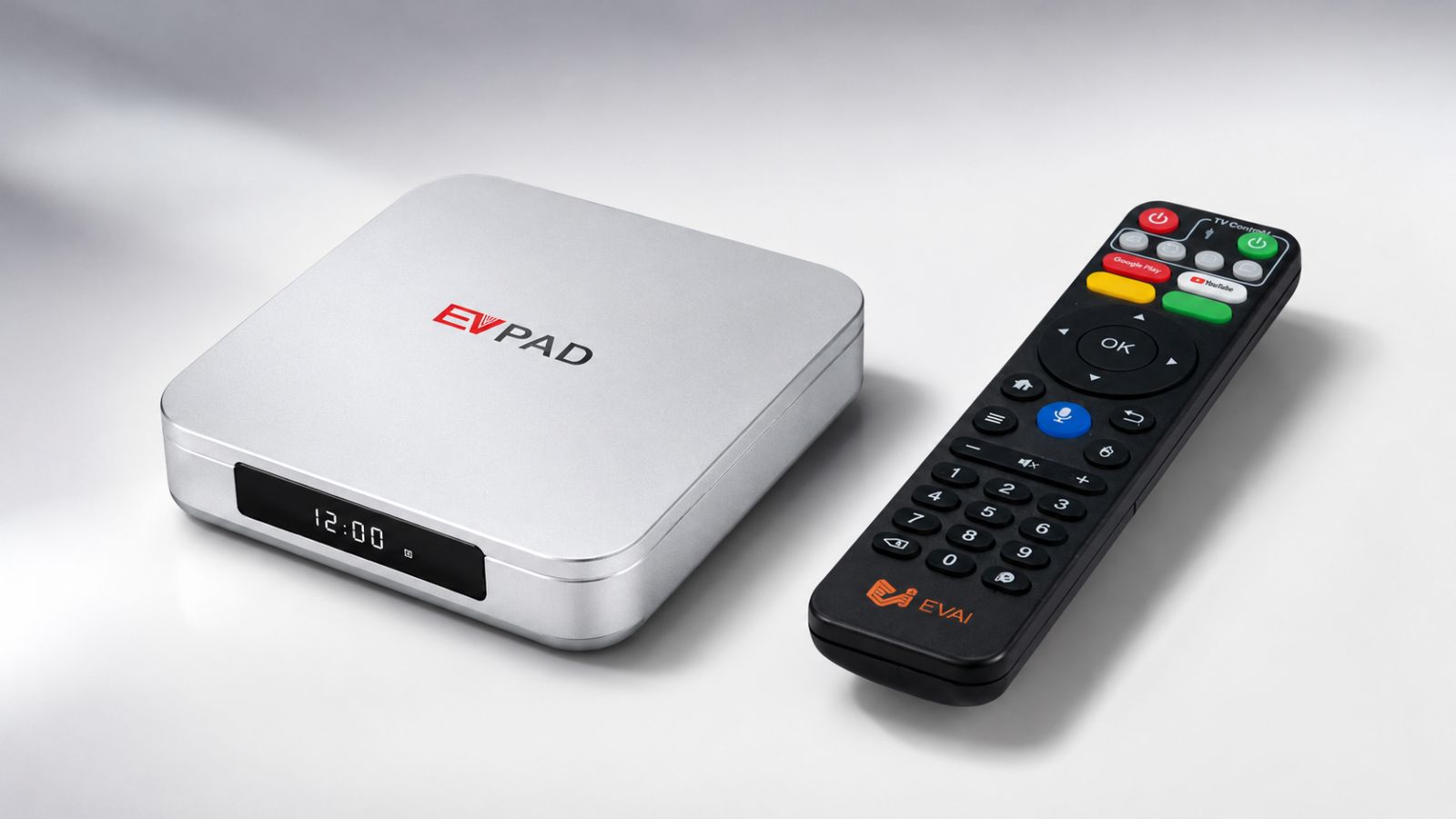
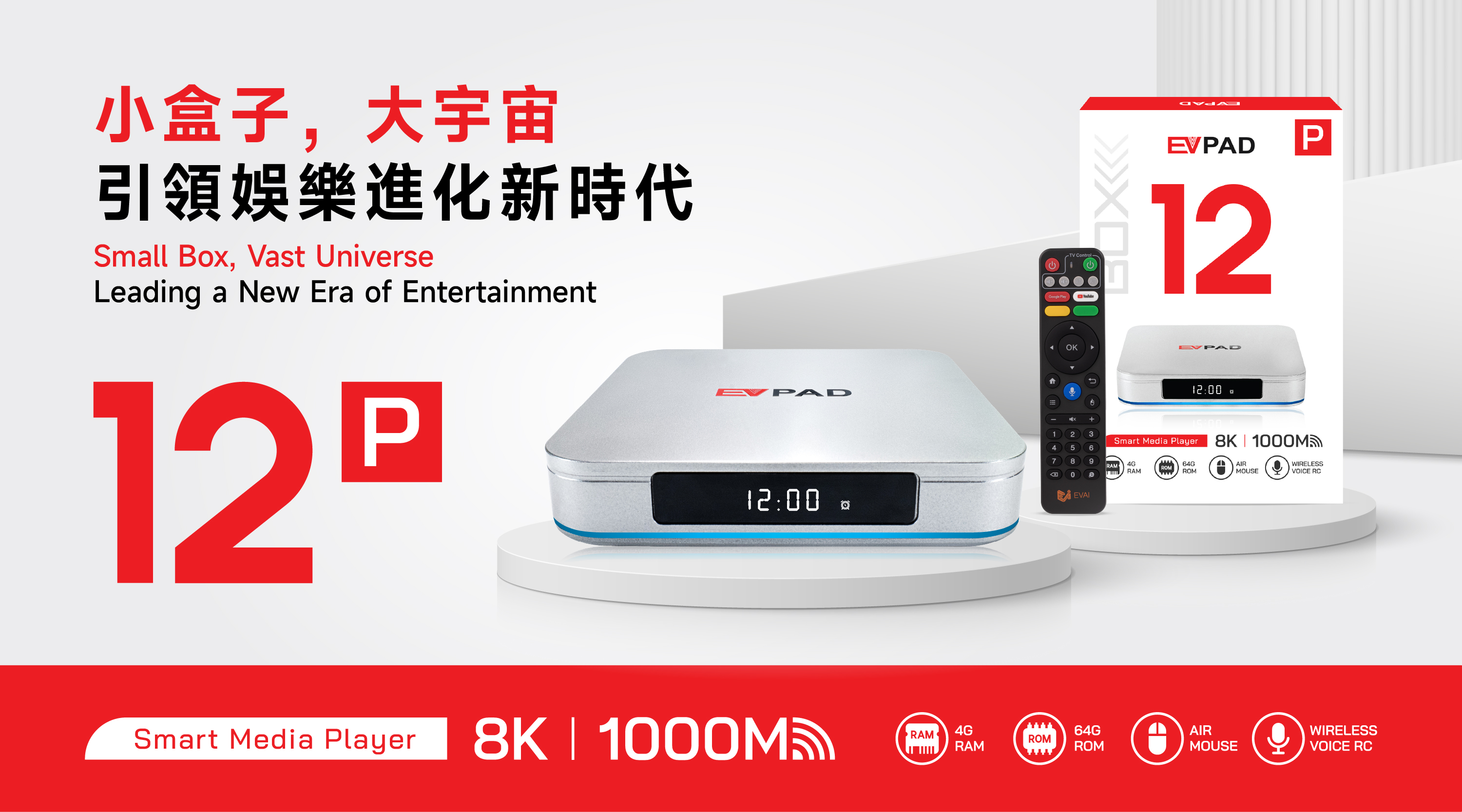
EVPAD 12P is a compact TV box that connects to a television through HDMI. The current product information lists 4GB RAM, 64GB storage, Wi-Fi 6, Gigabit Ethernet, Type-C power, a voice remote, and display-output support for newer televisions.
Does EVPAD 12P Have a Japanese Interface?
Yes. The current EVPAD FAQ states that the system supports multiple interface languages, including Japanese.
During first-time setup, users can select the preferred system language and then confirm basic settings such as region, date, time, display output and network connection.
For buyers in Japan, Japanese interface support is more useful than relying on content-specific claims because it directly affects menu navigation, settings and everyday operation.
Which Plug Should You Choose in Japan?
The current Japanese storefront labels the relevant option as US/JP Plug. Plug-option labels can change with inventory or storefront updates, so confirm the selected option again before checkout.
EVPAD 12P uses a Type-C power connection on the device side, but the power adapter still matters. Do not assume that every USB-C charger is suitable just because the connector is Type-C.
Before using the device in Japan:
- Confirm the order shows the correct Japan-compatible plug option.
- Check the power adapter's input and output specifications.
- Use the supplied or properly compatible adapter.
- Keep the original adapter and order information for future support.
EVPAD 12P Hardware for Japan Users
The current EVPAD 12P product information highlights the following core hardware:
- 4GB RAM
- 64GB storage
- Wi-Fi 6
- Gigabit Ethernet
- Type-C power connection
- Voice remote control
- HDMI connection for the television
- Support for higher-resolution display output, subject to the connected TV and HDMI setup
For most buyers, RAM, storage, network options, ports and remote-control usability are more useful comparison points than program or channel claims.
Wi-Fi 6 and Gigabit Ethernet
EVPAD 12P supports both Wi-Fi 6 and Gigabit Ethernet, so users can choose a wireless or wired connection depending on the home setup.
Wi-Fi can be more convenient when the router is in another part of the home, while Ethernet can be useful when a stable wired connection is available near the television.
Actual network performance depends on the router, internet plan, wireless interference, distance, walls, Ethernet cable and other network equipment. Wi-Fi 6 or Gigabit LAN should not be treated as a guarantee of a particular internet speed.
Remote Control and Daily Navigation
The current EVPAD 12P listing includes a voice remote. For everyday use, the practical things to check are pairing stability, button response, battery condition and whether the main navigation controls work correctly after setup.
If the device is being prepared for parents or older family members in Japan, it can help to complete the initial setup first, select Japanese, confirm the correct HDMI input, connect the network and test the remote before handing over the device.
Is EVPAD 12P Easy to Set Up in Japan?
The basic hardware setup is straightforward:
- Connect EVPAD 12P to the television with HDMI.
- Connect the supplied or compatible power adapter.
- Switch the television to the correct HDMI input.
- Connect the box to Wi-Fi or Ethernet.
- Select Japanese or another preferred interface language.
- Check date, time, display and network settings.
- Pair and test the remote control.
For normal first-time setup, start with the device's standard system settings. If something does not work correctly, use the official FAQ or contact customer support rather than installing unknown files or making unnecessary advanced changes.
Japan Warehouse and Delivery
The current Japanese EVPAD storefront advertises Japan domestic warehouse shipping.
There is currently a small difference between store pages on the exact delivery estimate: the Japanese storefront states that Japan domestic orders are generally delivered in about 1–3 business days, while the general FAQ states that supported Japan local-warehouse orders usually arrive in about 2–5 business days after shipment.
Because warehouse availability and delivery estimates can change, buyers should treat the current checkout information and post-shipment tracking as the final order-specific reference.
Before placing the order, confirm:
- Japan is selected as the destination.
- The delivery address and postal code are correct.
- The correct plug option is selected.
- Current local-stock availability if Japan domestic shipping is important.
- The current delivery estimate shown by the store.

Returns and Warranty for Japan Buyers
The current Japanese storefront advertises 30-day return support and a 12-month / 1-year warranty.
The current FAQ states that eligible orders include a 12-month warranty for manufacturing faults. Warranty eligibility depends on the cause of the problem and the applicable order terms.
For a return or warranty request:
- Keep the order number.
- Keep the device model and serial number when available.
- Keep the original box, remote, power adapter and included accessories.
- Contact support before sending anything back.
- Provide a concise description, photo, screenshot or short video when helpful.
Always review the current Return and Refund Policy before returning a product.
Customer Support for Japan Users
For order, setup, network, remote, warranty or after-sales questions, use the Contact Us page or the support methods currently shown by the store.
When contacting support, include the order number, exact EVPAD model, destination country and a short description of the issue. This usually makes troubleshooting faster.
EVPAD 12P vs 12S: Hardware Difference
If you are deciding between EVPAD 12P and 12S, the clearest hardware difference is memory and storage:
| Model | RAM / Storage | Who It Suits |
| EVPAD 12P | 4GB / 64GB | Buyers who want the higher-memory and higher-storage option. |
| EVPAD 12S | 2GB / 32GB | Buyers with more basic hardware requirements. |
For current model availability, compare the EVPAD TV Box collection.
What Japan Buyers Should Check Before Ordering
- Japanese interface support
- Correct US/JP plug option
- 4GB RAM and 64GB storage if choosing 12P
- Wi-Fi 6 and Gigabit Ethernet requirements
- Available HDMI input on the television
- Japan domestic-stock availability
- Current delivery estimate
- 30-day return conditions
- 12-month warranty conditions
- Customer-support contact information
Pros and Things to Consider
Pros
- Japanese interface support
- 4GB RAM and 64GB storage
- Wi-Fi 6 and Gigabit Ethernet
- Type-C power connection
- Voice remote
- Japan domestic warehouse availability
- Current return and warranty support
Things to Consider
- Confirm the plug option and adapter before checkout.
- Actual network speed depends on the home network.
- Japan delivery estimates currently differ slightly between store pages, so confirm the latest checkout estimate.
- Return and warranty eligibility depend on the applicable policy and cause of the issue.
Frequently Asked Questions
Does EVPAD 12P support a Japanese interface?
Yes. The current EVPAD FAQ lists Japanese among the supported system interface languages.
Which plug should I choose in Japan?
The current Japanese storefront labels the relevant option as US/JP Plug. Confirm the option again at checkout because plug labels and stock can change.
Does EVPAD 12P support Wi-Fi 6?
Yes. The current product information lists Wi-Fi 6 and Gigabit Ethernet, providing both wireless and wired network options.
Does EVPAD ship from a Japan warehouse?
The current Japanese storefront advertises Japan domestic warehouse shipping. Actual fulfillment depends on stock availability.
How long does delivery take in Japan?
The Japanese storefront currently advertises about 1–3 business days for Japan domestic delivery, while the general FAQ states 2–5 business days after shipment for supported Japan local-warehouse orders. Confirm the latest estimate before checkout.
What warranty is included?
The current store information advertises a 12-month / 1-year warranty, and the FAQ states that eligible orders include 12-month warranty support for manufacturing faults.
What is the return period?
The current Japanese storefront advertises 30-day return support. Eligibility and shipping responsibility depend on the Return and Refund Policy.
Final Verdict
For buyers in Japan, EVPAD 12P is best evaluated as a piece of hardware and a supported retail purchase. Its practical strengths are Japanese interface support, 4GB RAM, 64GB storage, Wi-Fi 6, Gigabit Ethernet, Type-C power, voice remote control, Japan domestic warehouse availability and current after-sales support.
Before ordering, confirm the current plug option, local stock, delivery estimate, return terms and warranty on the latest store pages.
View the current EVPAD 12P product page for the latest model and order information.