
Last updated: July 2026. This EVPAD 12P vs 11P comparison has been refreshed with updated buying advice, EVPAD 12P specs, mobile app notes, design differences, Type-C power, daily-use performance, setup tips, app and channel list notes, and recommendations for users deciding whether to upgrade from EVPAD 11P to EVPAD 12P.
Looking for the real differences between EVPAD 12P and EVPAD 11P? This comparison is written for users who are choosing a new EVPAD TV box in 2026, or who already own an EVPAD 11P and want to know whether upgrading to EVPAD 12P is worth it.
The short answer is simple: EVPAD 12P is the better choice if you want the latest EVPAD model, mobile app support, a modern silver design, Type-C power, newer hardware, and a more flexible long-term home entertainment experience. EVPAD 11P can still be suitable if you already own one, mainly watch on TV, and do not need the newer 12P upgrades.
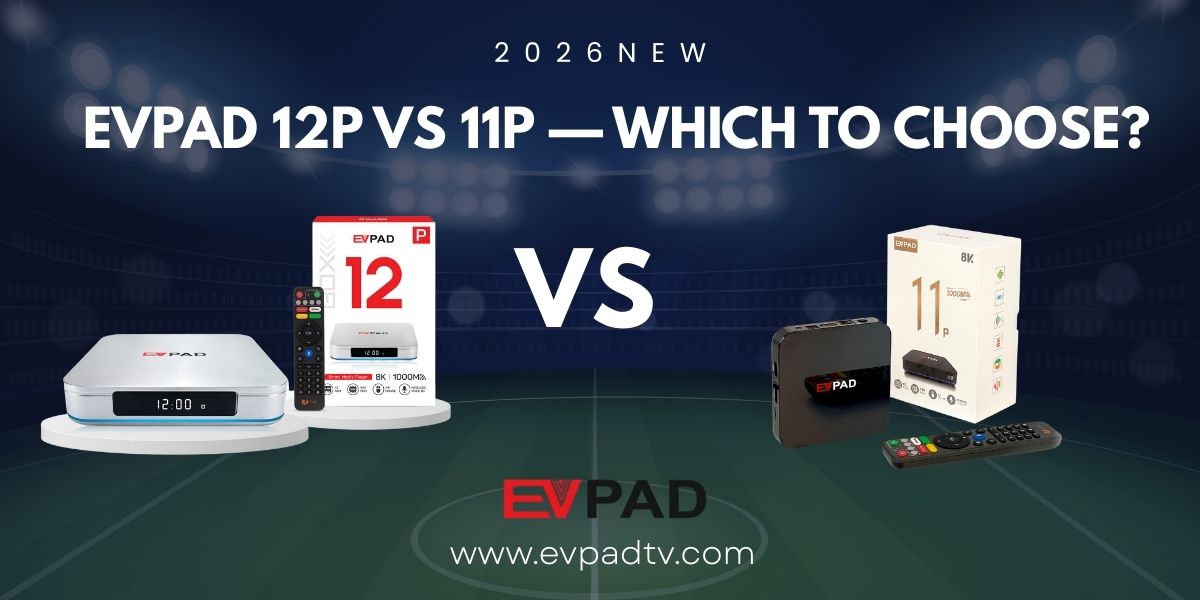
Quick Verdict: Should You Choose EVPAD 12P or EVPAD 11P?
If you are buying a new EVPAD TV box in 2026, EVPAD 12P is the stronger recommendation for most users. It offers a newer design, mobile and tablet app support, Type-C power, strong 4GB RAM + 64GB storage configuration, Wi-Fi 6, Gigabit LAN, and AI voice remote support. These upgrades make it more suitable for modern family entertainment and long-term daily use.
Choose EVPAD 12P if you want the latest EVPAD experience, better flexibility, a more modern design, and a device that feels more future-ready for home entertainment.
Keep or choose EVPAD 11P if your current 11P still works well, you mainly use it on the TV at home, and you do not need mobile app support, Type-C power, or the latest design changes.
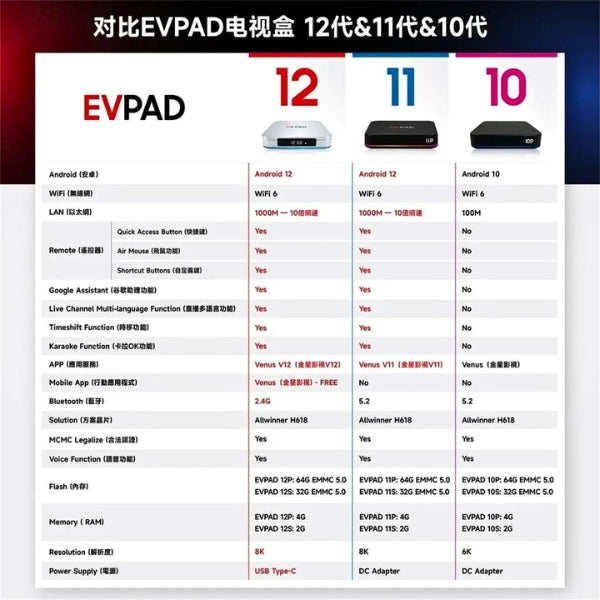
EVPAD 12P vs 11P Comparison Table
The table below summarizes the main differences between EVPAD 12P and EVPAD 11P. Actual user experience may also depend on network quality, app updates, setup environment, and how the device is used at home.
| Feature | EVPAD 12P | EVPAD 11P |
|---|---|---|
| Generation | EVPAD 12th generation | EVPAD 11th generation |
| Recommended For | Users buying a new EVPAD in 2026, family use, mobile app needs, long-term use | Users who already own 11P, TV-only use, basic daily home viewing |
| RAM / Storage | 4GB RAM + 64GB storage | 4GB RAM + 64GB storage |
| Video Output | Up to 8K support | Up to 4K / 8K depending on model description and usage environment |
| Network | Wi-Fi 6 and Gigabit LAN | Wi-Fi 6 and LAN support |
| Power Port | Type-C power port | Traditional round DC power port |
| Mobile / Tablet App | Supports mobile and tablet app experience | Mainly designed for TV box use |
| Design | Modern silver design | Classic black design |
| Remote | AI voice remote support | Voice remote support depending on package and model version |
| Best Choice | Better for new buyers and users who want a more flexible modern EVPAD setup | Still suitable if it works well and you do not need the latest upgrades |
1. Mobile and Tablet App Support: A Key Advantage of EVPAD 12P
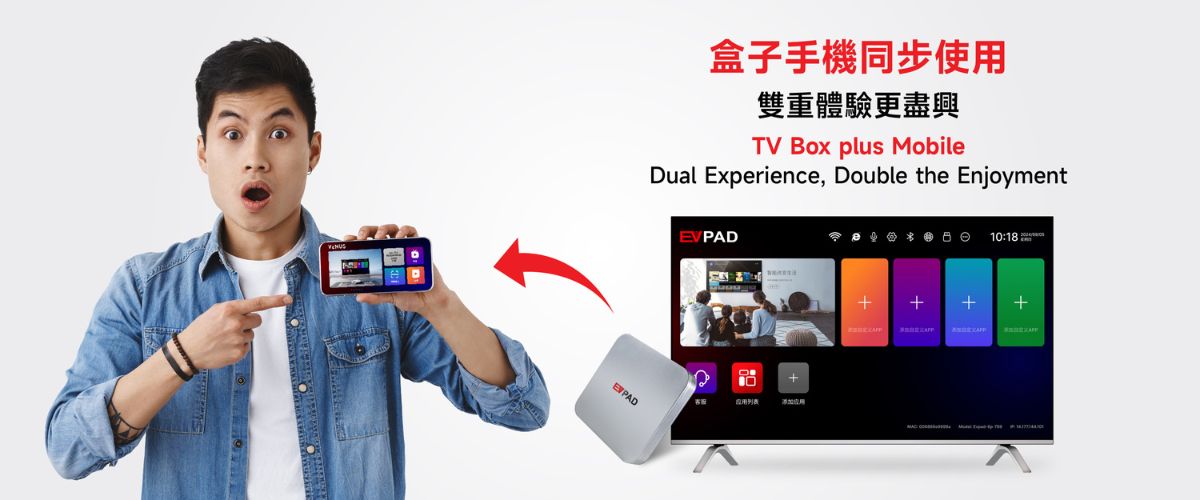
One of the most important differences between EVPAD 12P and EVPAD 11P is mobile and tablet app support. EVPAD 12P is designed for users who want a more flexible viewing experience, not only a traditional TV box setup in the living room.
This matters if you want to use EVPAD-related app features on more than one device, or if your family members prefer different viewing habits. Some users mainly watch on the TV, while others may want a more flexible app experience on mobile or tablet devices.
EVPAD 11P, by comparison, is more focused on traditional TV box usage. It can still be useful for users who mainly watch on one TV at home, but it does not offer the same newer mobile and multi-device experience as EVPAD 12P.
Available app functions and content categories may vary by region, app service, user account, updates, and service provider. If you are buying EVPAD for a specific app or content need, it is better to check the latest support information before ordering.
2. Design and Appearance: Modern Silver vs Classic Black
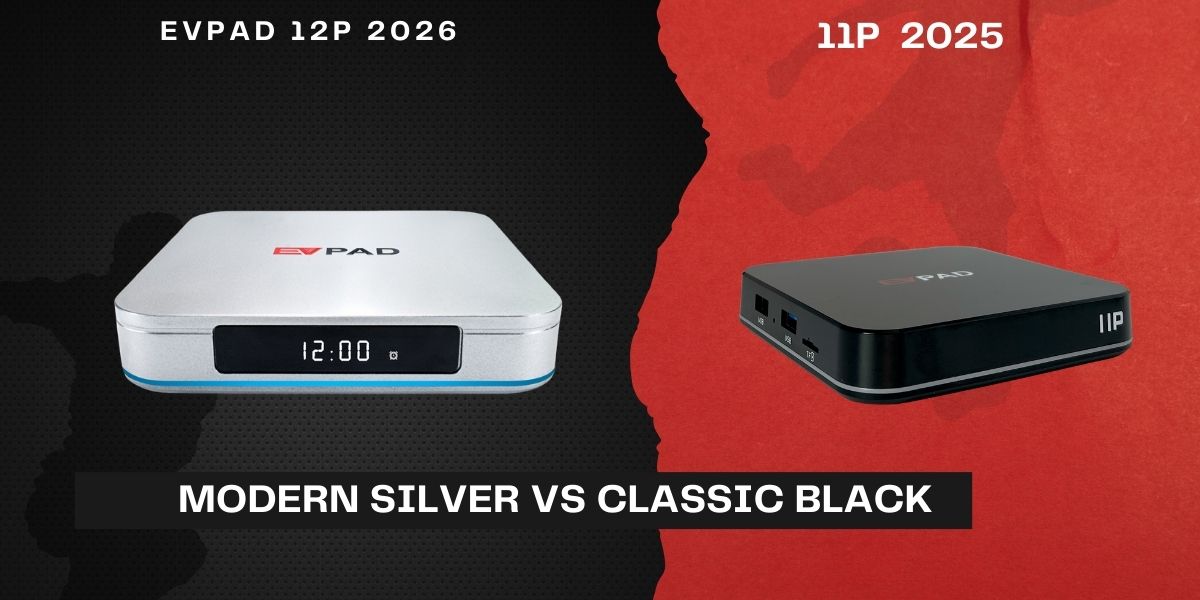
EVPAD 11P uses a classic black design that blends into most home entertainment setups. It looks simple, familiar, and practical for users who prefer a traditional TV box appearance.
EVPAD 12P adopts a more modern silver exterior. The updated appearance feels cleaner and more premium, especially in modern living rooms, apartment setups, or home theater environments where the TV box is visible on the console.
Design is not the only reason to upgrade, but it does affect the overall product experience. EVPAD 12P looks and feels more like a newer-generation device, while EVPAD 11P keeps the older, more traditional black-box style.
3. Power Connection: Type-C Upgrade on EVPAD 12P
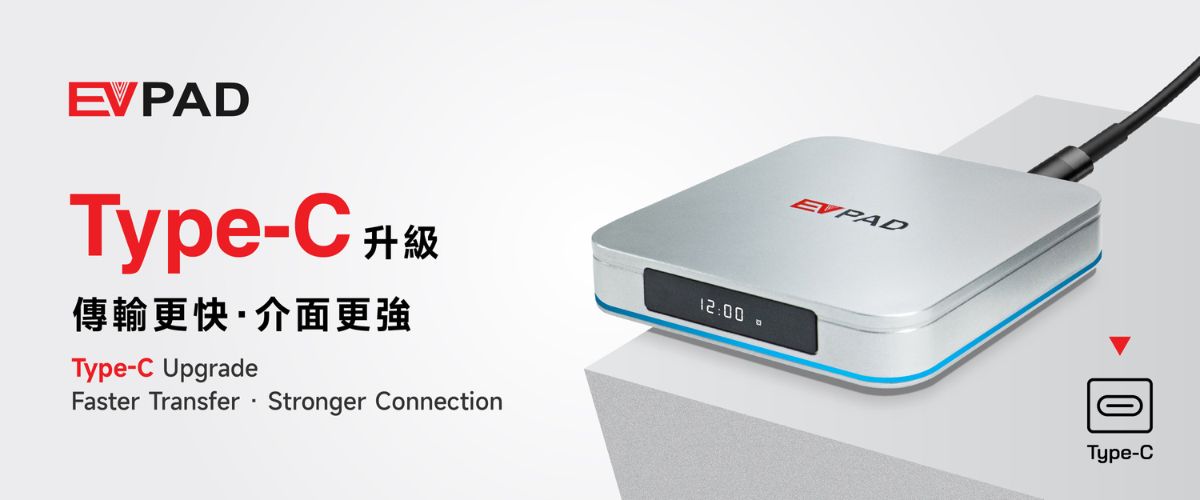
Another practical difference is the power connection. EVPAD 11P uses a traditional round DC power port, while EVPAD 12P upgrades to a Type-C power port.
Type-C is now widely used across modern electronics. It is easier to plug in, more familiar to many users, and feels more convenient for daily setup. For users who care about long-term convenience and a cleaner setup, this is a useful upgrade.
This does not mean the EVPAD 11P power design is unusable. It simply means EVPAD 12P is more aligned with newer device standards and modern accessory habits.
4. Performance, Storage and Daily Use
Both EVPAD 12P and EVPAD 11P are positioned as higher-spec EVPAD models, but the real difference is not only what appears on the specification sheet. For many families, the more important question is how the device feels during daily use.
EVPAD 12P is better suited for users who want a newer-generation experience, smoother app operation, larger storage space, and better long-term usability. Its 4GB RAM and 64GB storage configuration gives users more room for system resources and app use.
EVPAD 11P can still work well for users who mainly use the device in a stable TV-only environment. However, if your 11P has started to feel slower, apps take longer to load, or family members often need help troubleshooting, EVPAD 12P may be the more practical upgrade.
For home users, performance is not only about speed. It is also about fewer interruptions, easier operation, better network stability, and whether older family members can use the device without frequent adjustments.
5. Network Stability and Setup Experience
Network quality plays a major role in any TV box experience. Even a high-performance device can feel slow if the Wi-Fi connection is weak or unstable. EVPAD 12P supports Wi-Fi 6 and Gigabit LAN, making it a better fit for users who want a stable connection for daily home entertainment.
If your home router is far from the TV, or if multiple family members use the internet at the same time, a stable network setup becomes more important. When possible, using a wired connection can also help improve consistency.
EVPAD 11P also supports daily home use, but EVPAD 12P is the more attractive option for users who want a newer network experience and a cleaner long-term setup.
For first-time users, the setup process usually includes HDMI connection, power connection, Wi-Fi or Ethernet setup, and basic on-screen configuration. If you are buying for parents or older family members, it is a good idea to set up the box for them first and keep the most-used functions easy to find.
6. Apps, Channel List and Content Notes
Many users comparing EVPAD 12P vs 11P also want to know whether the app and channel experience is different. This is a reasonable question, especially for overseas Chinese families who use a TV box for news, dramas, movies, variety shows, sports, and family entertainment.
Both EVPAD 12P and EVPAD 11P support multiple app and content categories. However, available channels and content may vary by region, app service, account status, updates, and service provider. For this reason, it is not recommended to rely only on outdated third-party screenshots or old channel lists when making a purchase decision.
If you want a general overview of content categories, you can read the EVPAD channel list guide. This can help you understand common app and content questions before choosing a model.
For download-related resources or setup support, the EVPAD download center is also a useful place to start.
7. Should You Upgrade from EVPAD 11P to EVPAD 12P?
If your EVPAD 11P still works smoothly, your family mainly watches on the TV, and you do not need mobile app support or Type-C power, you may not need to upgrade immediately.
However, upgrading to EVPAD 12P makes more sense if you want:
- A newer EVPAD model for 2026 and beyond
- Mobile and tablet app support
- A more modern silver design
- Type-C power connection
- Wi-Fi 6 and Gigabit LAN support
- AI voice remote support
- Better long-term usability for family entertainment
For users who already feel that EVPAD 11P is becoming slow, outdated, or less convenient, EVPAD 12P is a better long-term upgrade choice.
8. Who Should Still Keep EVPAD 11P?
EVPAD 11P is not automatically a bad choice just because EVPAD 12P is newer. If your EVPAD 11P is still stable, apps open normally, your network connection is reliable, and your family only watches on the main TV, keeping the 11P may still be reasonable.
EVPAD 11P may still be suitable if:
- You already own one and it works well.
- You mainly use it on one TV at home.
- You do not need mobile or tablet app support.
- You do not care about the newer silver design.
- You do not need Type-C power.
- You prefer not to replace a working device too soon.
In other words, EVPAD 12P is the better choice for new buyers, but EVPAD 11P can still be useful for existing users whose device remains stable.
9. Buying Advice from the EVPAD Official Store
If you are buying a new EVPAD in 2026, EVPAD 12P is the safer recommendation for most users. It offers newer hardware, mobile app support, Type-C power, a modern design, and stronger long-term value for home entertainment.
Buying from the EVPAD Official Store also gives you clearer product information, setup resources, warranty support, and direct after-sales contact options. This matters because a TV box is not only a one-time device purchase. It is something your family may use every day in the living room.
EVPAD 12P comes with a 1-year warranty, 30-day local return support subject to the store return policy, and two selected gifts. Final shipping options, payment methods, and order details should be confirmed at checkout.
If you are still comparing models, you can review the EVPAD 12P product page or browse the EVPAD TV box collection before making your decision.
Final Recommendation
EVPAD 12P is more than a simple cosmetic update. Compared with EVPAD 11P, it adds a more modern silver design, Type-C power, mobile and tablet app support, and a newer long-term experience for users who want a more flexible entertainment setup.
EVPAD 11P still has value for users who already own it and mainly need stable TV-only use. But for new buyers in 2026, EVPAD 12P is the better overall choice because it is more modern, more flexible, and better suited for long-term family entertainment.
FAQ
Is EVPAD 12P better than EVPAD 11P?
For most new buyers, EVPAD 12P is better than EVPAD 11P because it offers mobile and tablet app support, a modern silver design, Type-C power, Wi-Fi 6, Gigabit LAN, AI voice remote support, and a newer long-term user experience.
What is the main difference between EVPAD 12P and 11P?
The main differences are mobile app support, design, power connection, and overall long-term usability. EVPAD 12P has a newer silver design, Type-C power port, and mobile/tablet app support, while EVPAD 11P is more focused on traditional TV-only use.
Should I upgrade from EVPAD 11P to EVPAD 12P?
You should consider upgrading if you want mobile app support, Type-C power, a newer design, stronger long-term usability, or a more modern EVPAD experience. If your EVPAD 11P still works well and you only watch on TV, you may not need to upgrade immediately.
Does EVPAD 12P have better specs than EVPAD 11P?
EVPAD 12P is positioned as the newer-generation model and includes 4GB RAM, 64GB storage, Wi-Fi 6, Gigabit LAN, 8K support, Type-C power, and AI voice remote support. It is the better choice for users who want a newer EVPAD model in 2026.
Does EVPAD 12P support mobile app use?
Yes. EVPAD 12P supports a more flexible mobile and tablet app experience. Available app functions and content may vary by region, app service, user account, updates, and service provider.
Is EVPAD 11P still worth using in 2026?
EVPAD 11P can still be worth using if it works well, your family mainly watches on one TV, and you do not need mobile app support, Type-C power, or the newest EVPAD design. For new buyers, EVPAD 12P is usually the better choice.
Which EVPAD model is better for parents or older family members?
EVPAD 12P is usually easier to recommend for parents or older family members because it offers a newer experience, strong hardware, AI voice remote support, and better long-term usability. It is still a good idea to set up the device for them first.
Where can I find EVPAD setup or download resources?
You can use the EVPAD download center for setup and download-related resources. If you are not sure which model to choose, you can also compare EVPAD models through the product collection page.