
The EVPAD 12P brings a smarter and more convenient home entertainment experience, and its upgraded voice remote control plays a key role. This guide will walk you through pairing, commands, features, and troubleshooting tips to help you get the most out of your EVPAD remote.(Latest update in 2026)
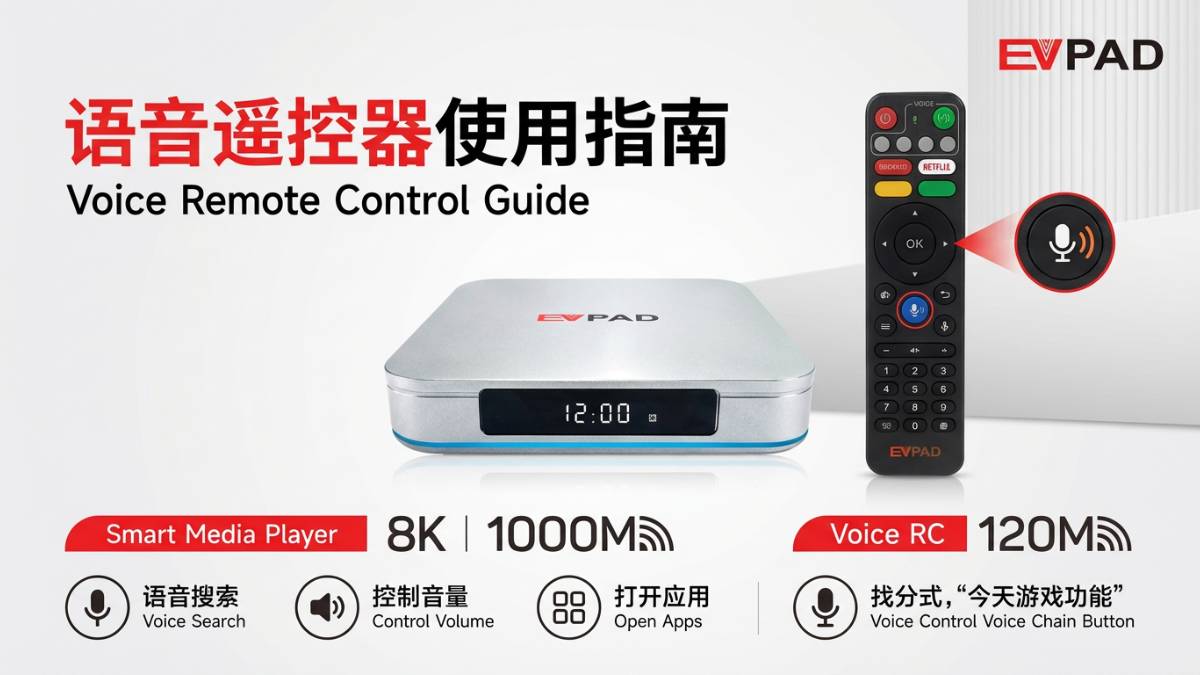
Core Functions of the EVPAD 12P Remote Control
The EVPAD remote is more than just a traditional controller. It integrates smart features designed to enhance user experience and simplify daily operation.
1. Voice Control
The built-in voice control allows users to search content, open apps, and control playback using simple voice commands. This is especially useful for users who prefer hands-free interaction.
2. Learning Function (One Remote for All)
The EVPAD remote supports a learning function, enabling it to copy signals from your TV remote. This allows you to control both your TV and EVPAD box with a single remote.
3. Infrared Technology
The remote uses stable infrared transmission, ensuring reliable performance within a range of 5–10 meters and across various angles.
How to Use the Learning Function
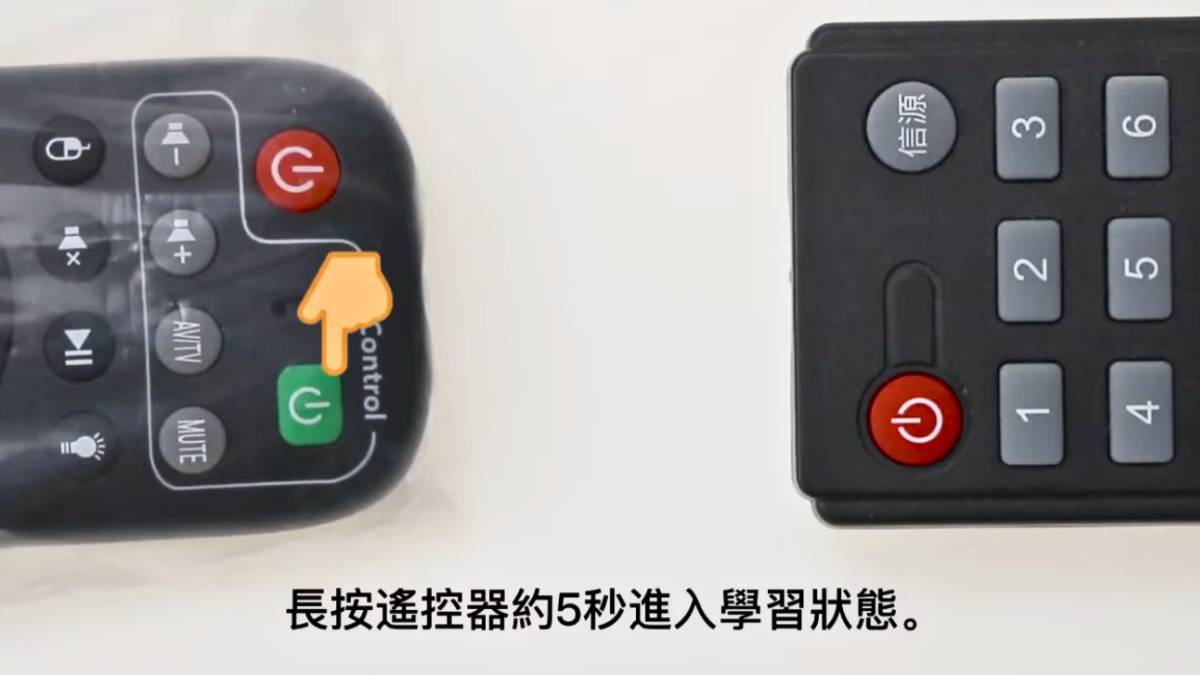
The learning function is one of the most practical features for multi-device users. Follow these steps:
- Prepare both remotes: EVPAD remote and your TV remote
- Align the remotes: Keep them facing each other at a distance of 3–5 mm
- Enter learning mode: Hold the learning button for 5 seconds until the indicator light stays on
- Select button: Press the button on the EVPAD remote you want to program
- Transmit signal: Press the corresponding button on the original remote
- Success: Indicator flashes quickly three times
- Exit: Press any button to exit learning mode
This function eliminates the need for multiple remotes and greatly simplifies your setup.
Advantages of Voice Control
Voice control has become an essential feature in modern smart homes. The EVPAD 12P remote enhances this experience with:
- Faster Search: No need to type long titles manually
- User-Friendly: Ideal for elderly users
- Hands-Free Operation: Control playback while multitasking
- Instant Response: Open apps and content immediately
This feature makes entertainment more seamless and enjoyable.
Infrared Technology in EVPAD Remote
Infrared technology ensures stable communication between the remote and your EVPAD device.
Key Benefits:
- Stable Signal: Reliable transmission within normal indoor range
- Wide Compatibility: Works with most EVPAD models
- Fast Response: Minimal delay in command execution
Usage Tip: Avoid obstacles between the remote and the TV box for best performance.
Common Problems and Solutions
Remote Not Responding
- Check battery power
- Ensure no obstacles are blocking the signal
- Restart the EVPAD device
- Re-pair the remote
Voice Function Not Working
- Ensure remote is paired
- Check internet connection
- Update EVPAD system software
Learning Function Failed
- Ensure correct distance (3–5 mm)
- Check indicator light status
- Retry the learning process
How to Maintain Your EVPAD Remote
Proper maintenance can extend the lifespan of your remote control:
- Replace batteries regularly to maintain signal strength
- Keep it clean using a soft cloth
- Avoid drops and impacts to protect internal components
How to Fix EVPAD Voice Remote Not Working
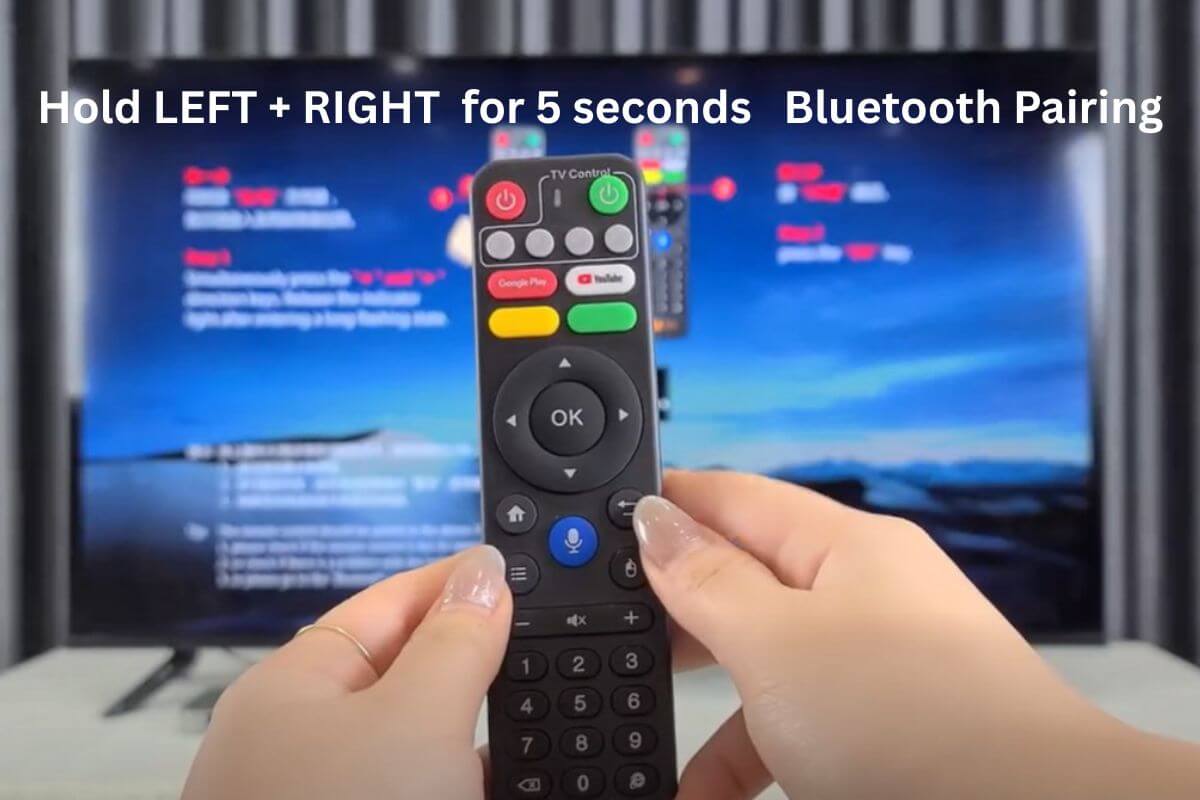
If the voice function is not working, it’s likely that the remote control has not been paired yet. Follow the steps below to complete pairing:
- Press the “Voice” button on the remote
- Press and hold the “Left + Right” buttons simultaneously for a few seconds
- When the indicator light turns on, press the “OK” button to confirm pairing
Once pairing is complete, you no longer need to point the remote directly at the TV. The system will respond instantly to your commands, making operation smoother and more convenient.
Tip: Simply press the voice button and say what you want to watch — EVPAD will open it instantly.
2026 EVPAD 12P Remote: What’s New?
The latest EVPAD 12P remote introduces improved voice recognition, faster response time, and enhanced compatibility with smart systems. The pairing process is more stable, and voice commands are processed more accurately than previous generations.
This makes it one of the most user-friendly EVPAD remotes to date.
Conclusion
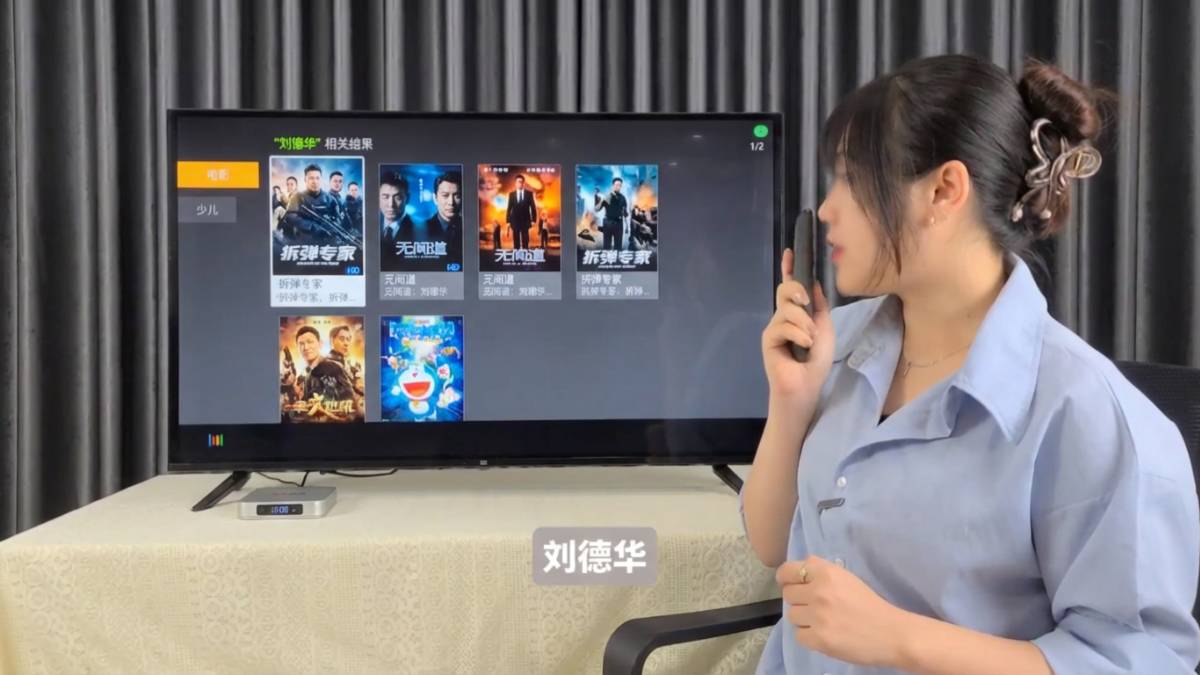
The EVPAD 12P voice remote control is a powerful tool designed to simplify and enhance your entertainment experience. With features like voice control, learning capability, and stable infrared performance, it offers both convenience and efficiency.
By following this guide, you can fully unlock the potential of your EVPAD remote and enjoy a smarter, more seamless viewing experience.
Try it now: Press the voice button and discover a new way to watch TV.